> For the complete documentation index, see [llms.txt](https://help.daasity.com/llms.txt). Markdown versions of documentation pages are available by appending `.md` to page URLs; this page is available as [Markdown](https://help.daasity.com/technical-docs/transform-code/code-repository/getting-access-to-your-code-repository.md).
# Getting Access to Your Code Repository
This page outlines the steps you need to take in order to get access to your Custom Code Repository
## Getting Code Repository Access
To get access to your Custom Code Repository you will need to have an user account in Github and then follow these steps to request and have Daasity approve your access
### Sign up for a GitHub account
Daasity uses [Github](https://help.daasity.com/technical-docs/transform-code/code-repository/www.github.com) as our cloud provider for managing and storing code. In order to access your Custom Code Repository you will need to have or create a user in Github. You can follow the instructions starting [here](https://docs.github.com/en/get-started/signing-up-for-github/signing-up-for-a-new-github-account) to create a new Github account or read the [Get Started](https://docs.github.com/get-started) documents on Github to help you learn more about Github.
### Requesting Access
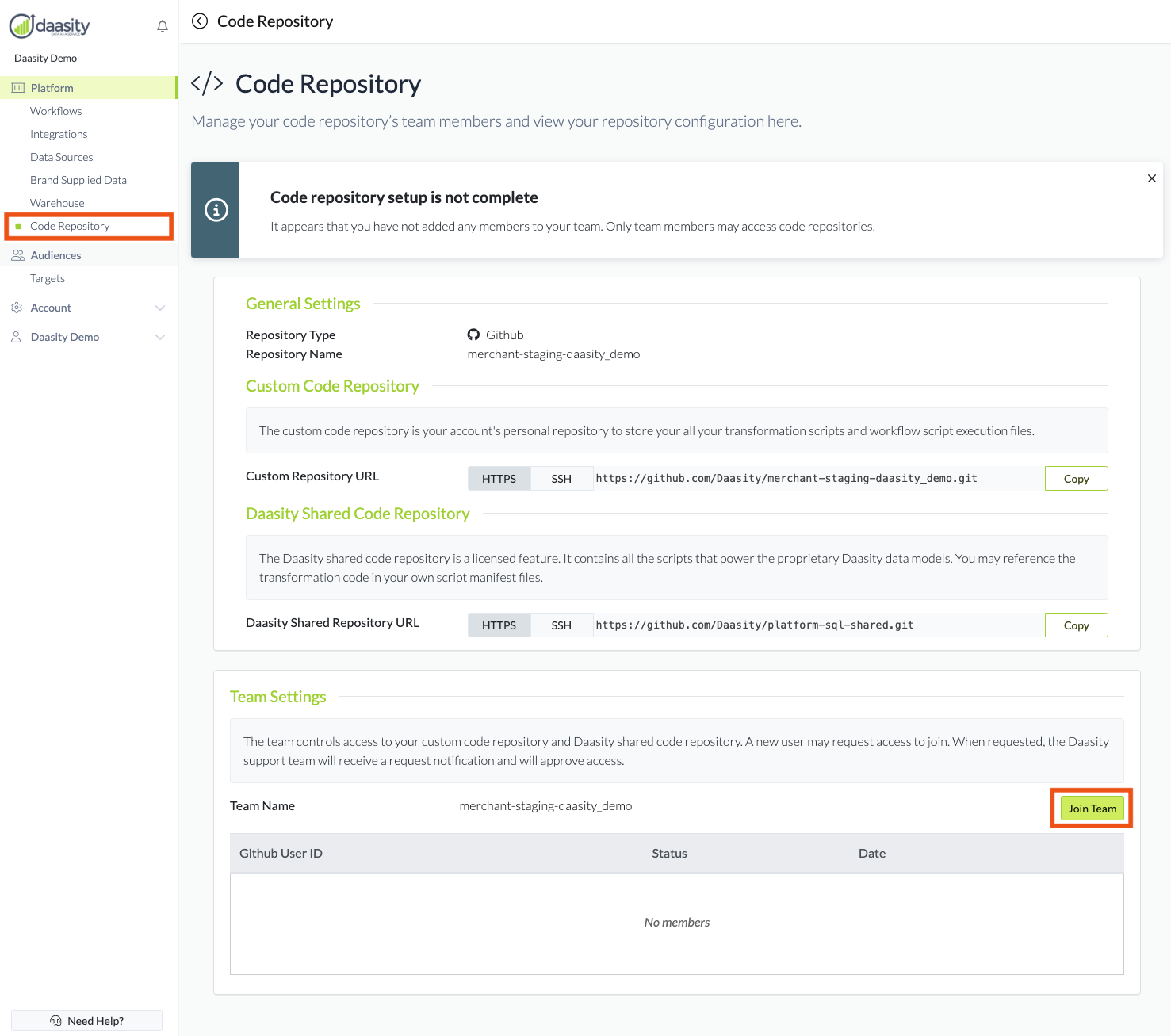
Once your Github user account has been created you just need to navigate to the Code Repository page and click on the "Join Team" button on the lower left corner
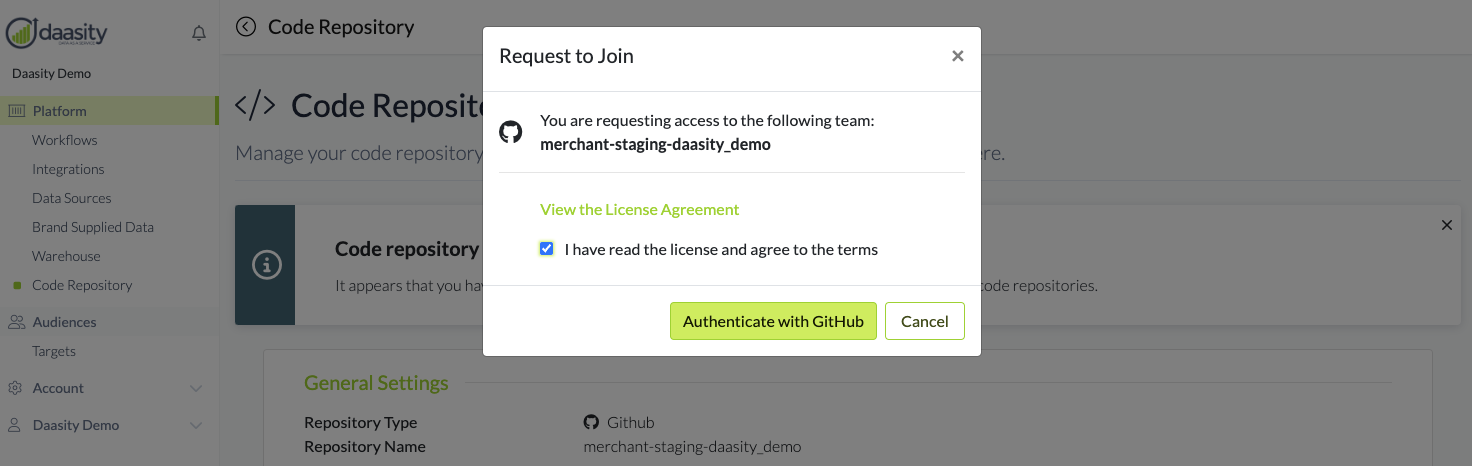
This will open a pop-up with a link to our License Agreement that outlines the terms and conditions of accessing the Daasity Code Repository. The full text of the License Agreement is available [here](https://www.daasity.com/daasity-source-code-license-agreement)
Once you accept the License Agreement you will then click the "Authenticate with Github" button
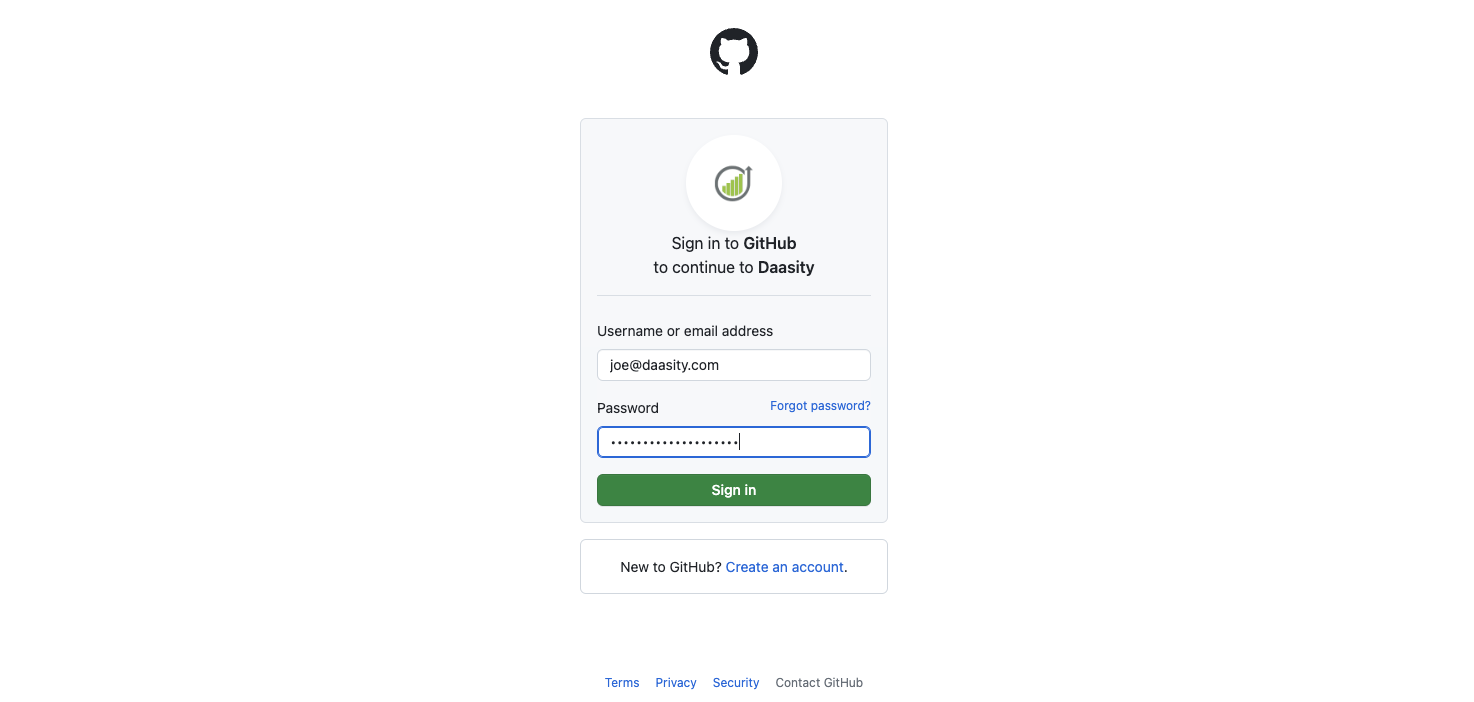
This will open a new page in Github where you will authorize the Daasity App to connect to your Github user account
### Pending Access
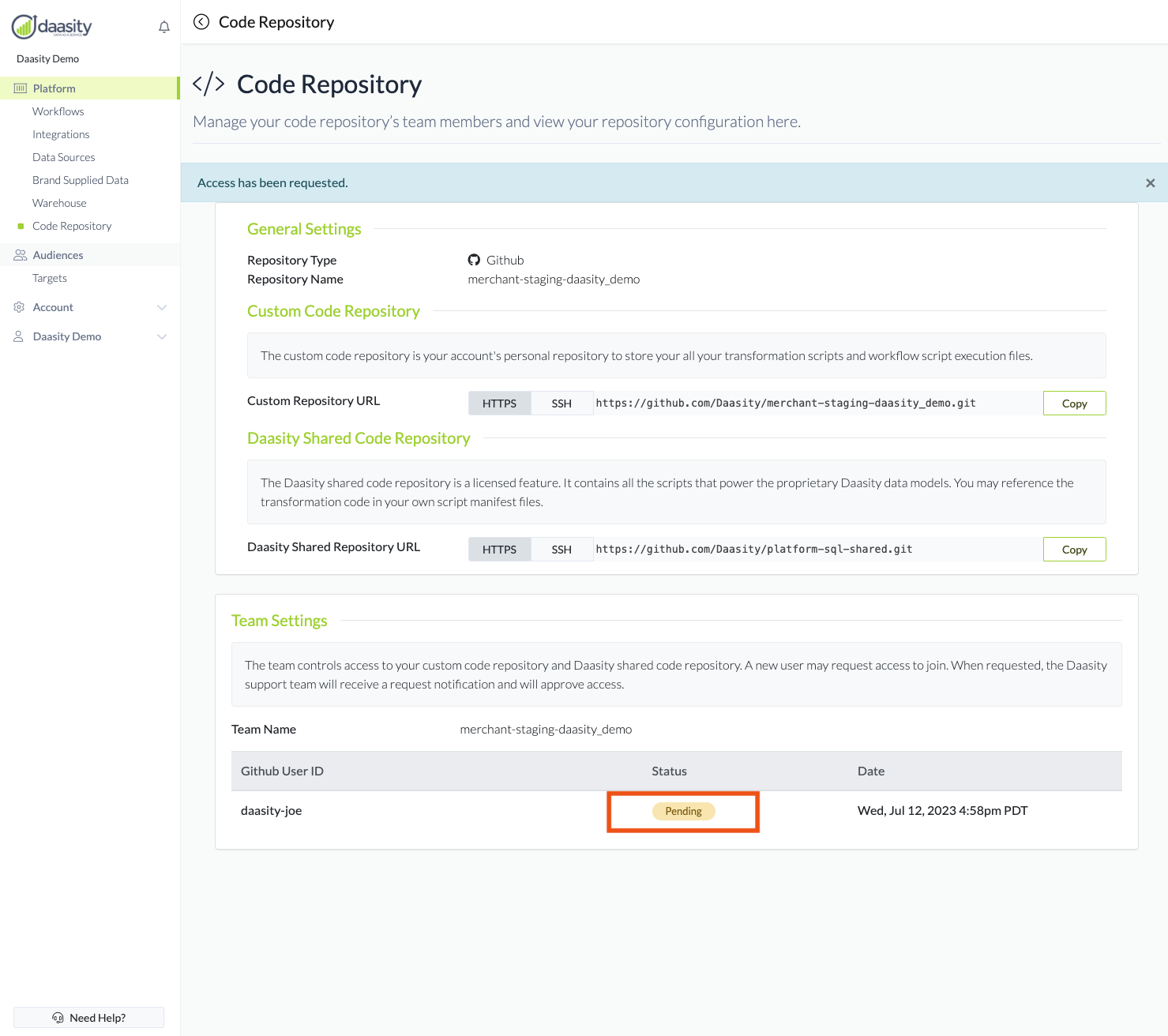
Once you have completed the request and authorized Github to connect to Daasity you will see your Github username added to the members of the team in a "pending" status.
The pending status will inform the Daasity team to review and approve your access request. This should not take more than 24 hours. If you are having issues with approval please contact
### Knowing when Access has been Granted
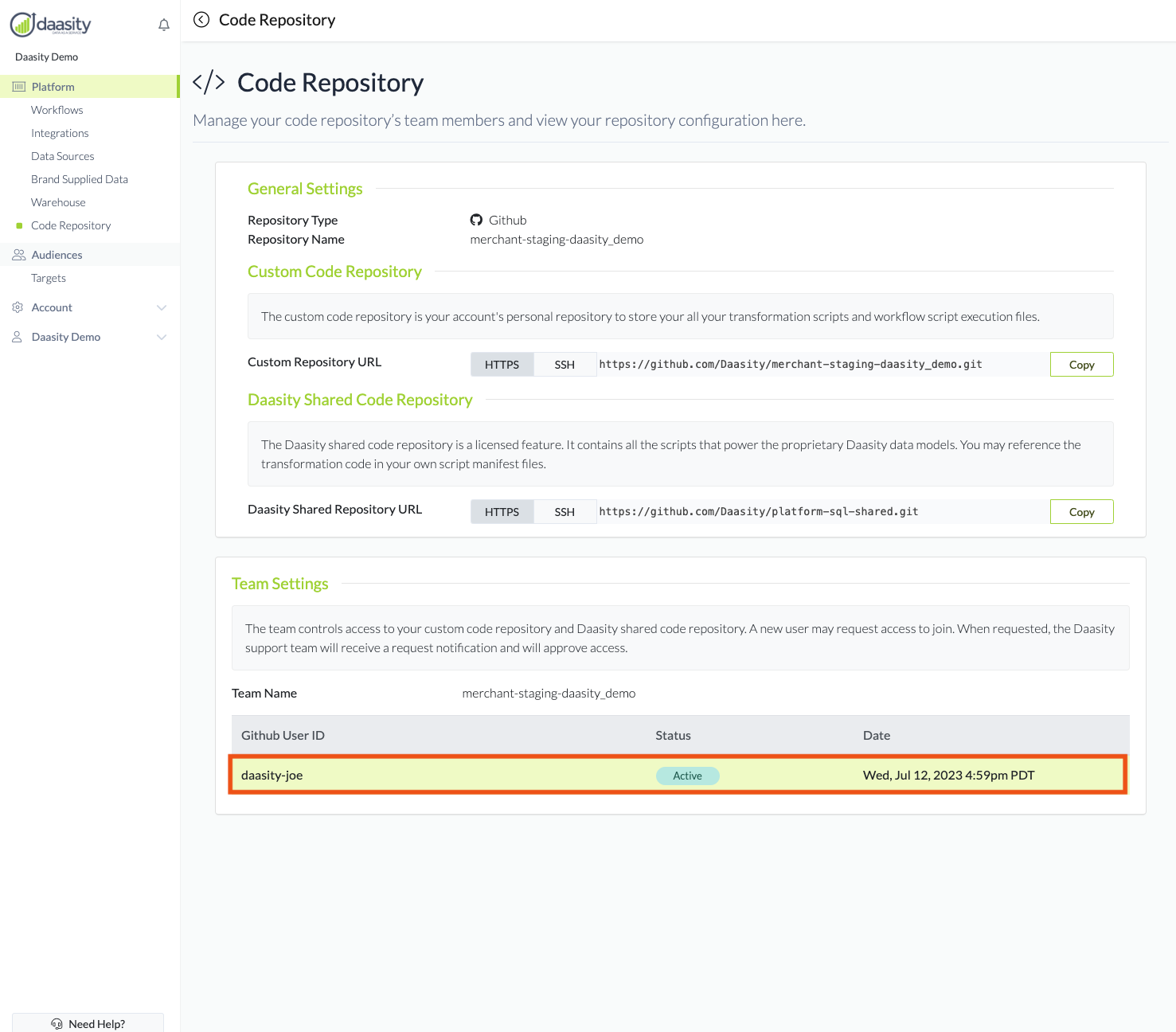
Once access has been granted, you should receive an email from GitHub, and you will see a change to the status of your GitHub username on the Code Repository page as shown below. The green highlight will only show the first time you navigate to this screen to highlight the change in status:
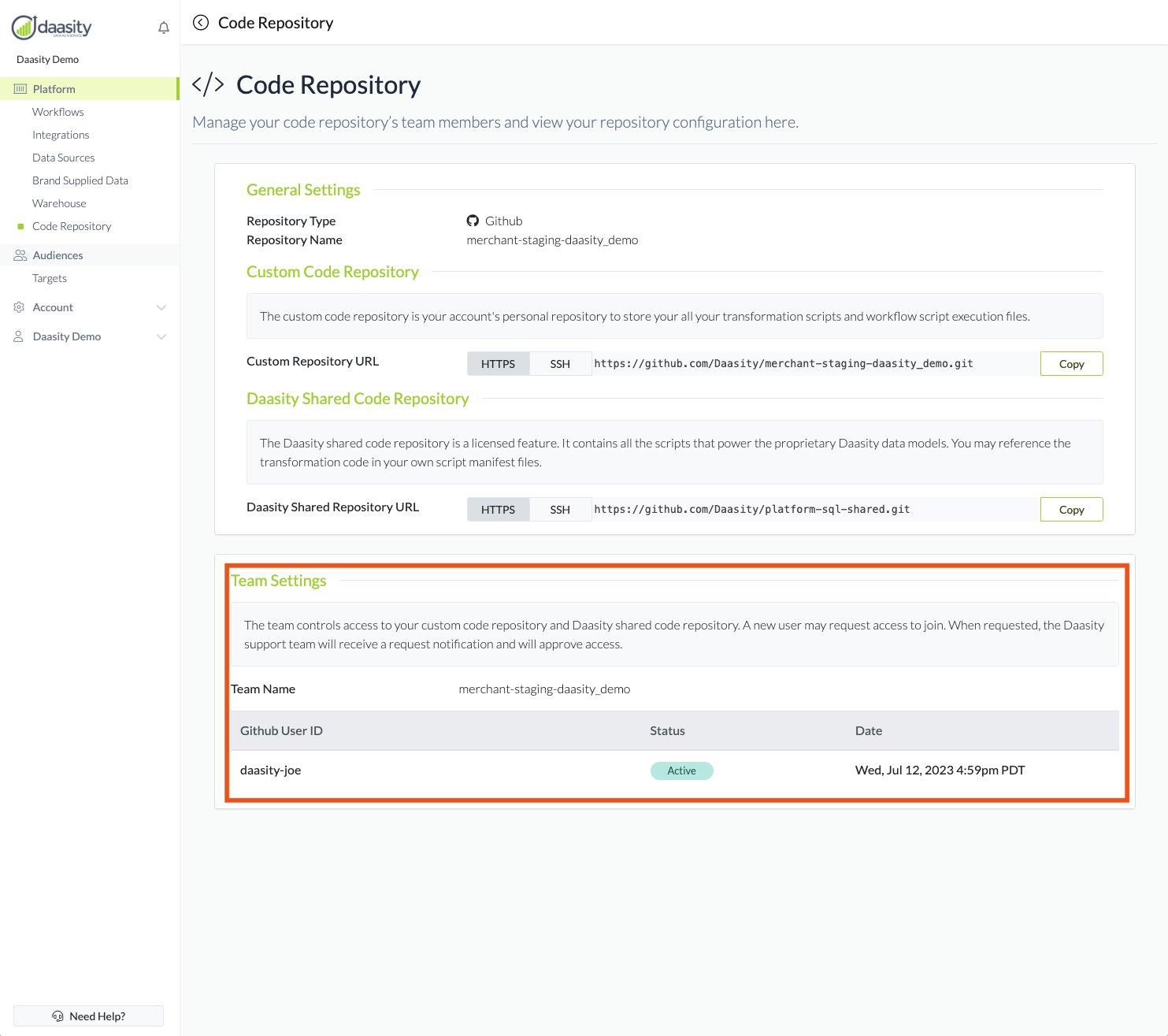
Going forward the Team Settings section of the page will show the status of all the team members that have requested and / or been given access to your Custom Code Repository