> For the complete documentation index, see [llms.txt](https://help.daasity.com/llms.txt). Markdown versions of documentation pages are available by appending `.md` to page URLs; this page is available as [Markdown](https://help.daasity.com/getting-started/installation/1-connect-your-warehouse/snowflake.md).
# Snowflake
You can connect your Snowflake Warehouse to Daasity by following the steps below.
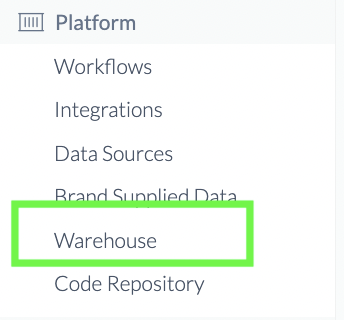
## Navigate to Warehouse Section in Daasity App
Click Warehouse
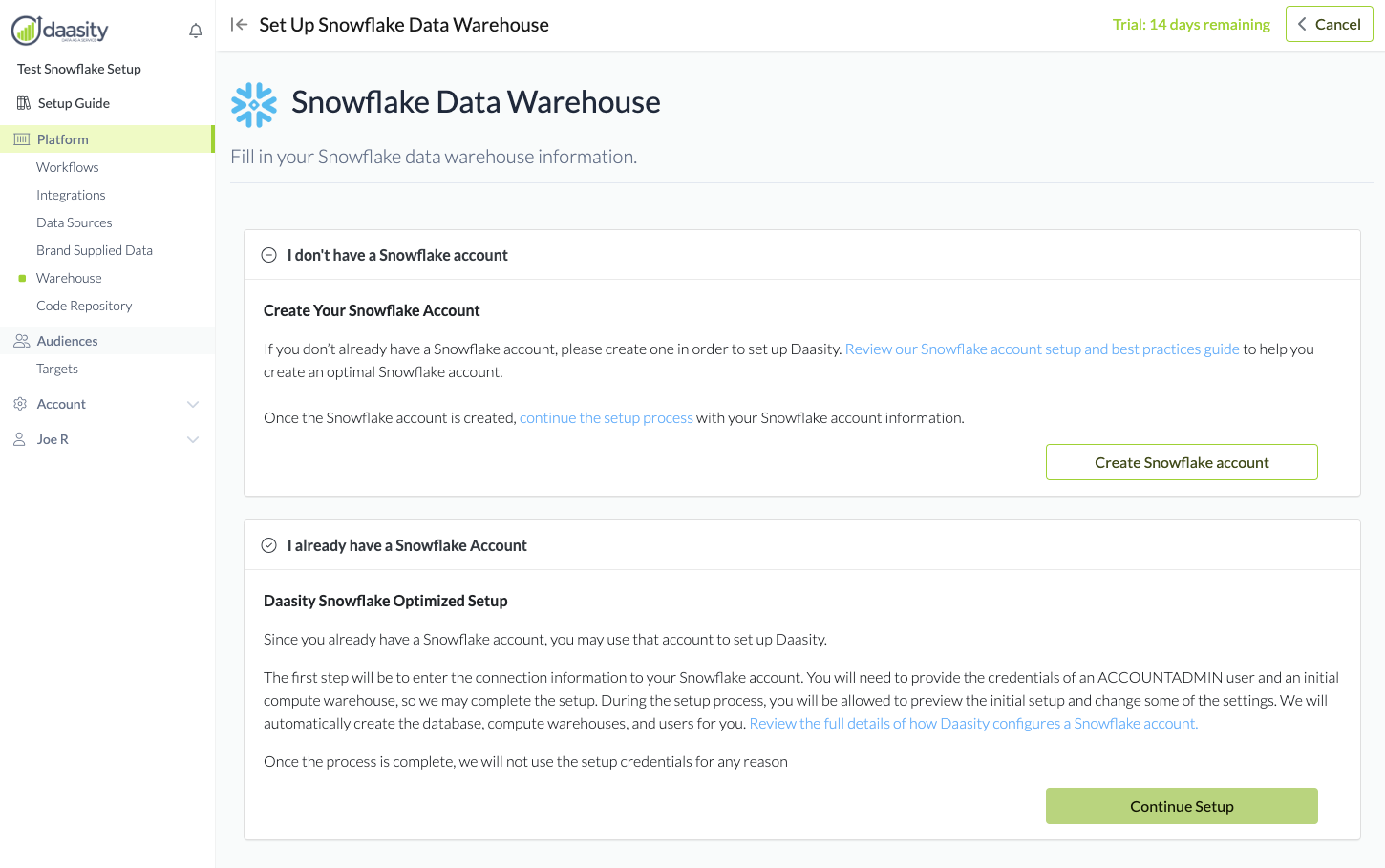
## Choose First "Recommended" Snowflake Option
## Choose I Already Have a Snowflake Account and click Continue Setup.
Already Have Snowflake
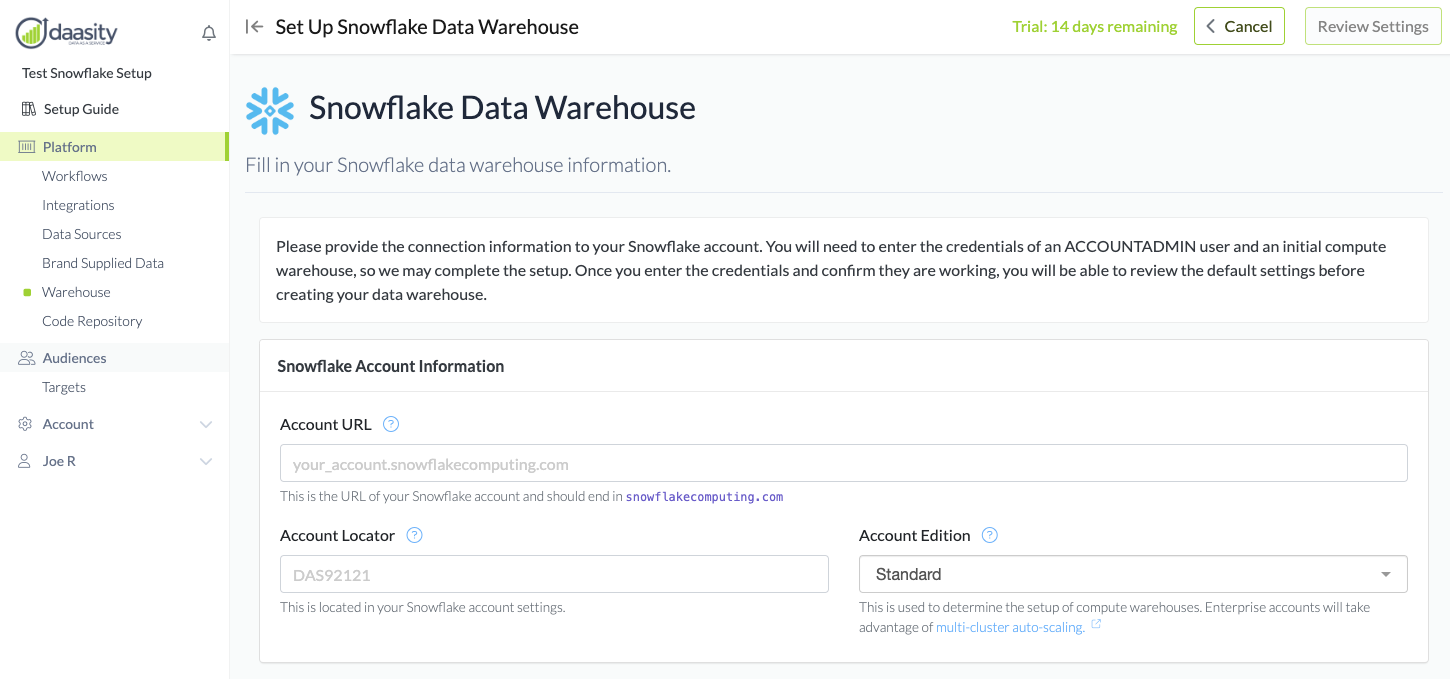
## Enter Your Snowflake Account Information
Complete Information
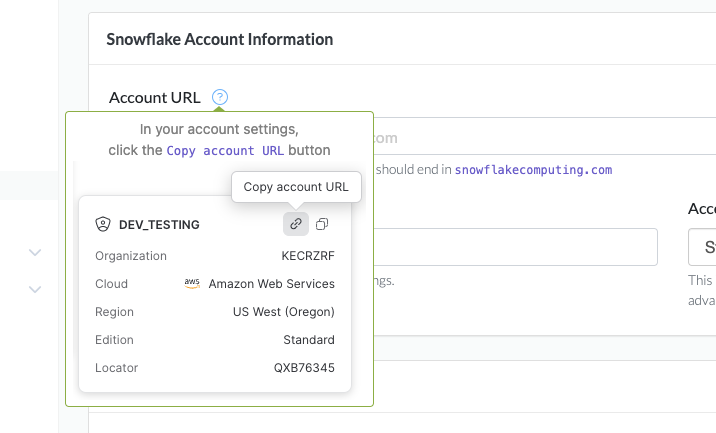
### Account URL:
URL
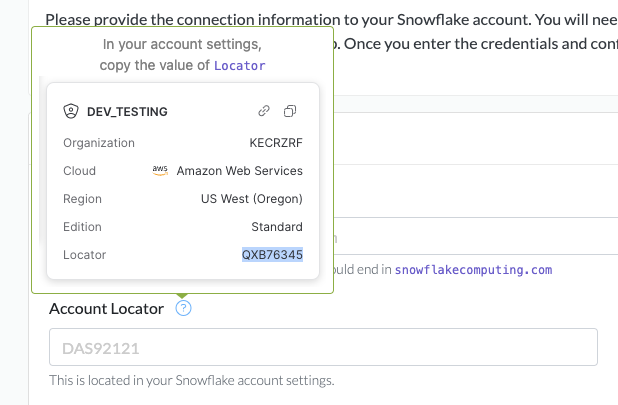
### Account Locator:
Locator
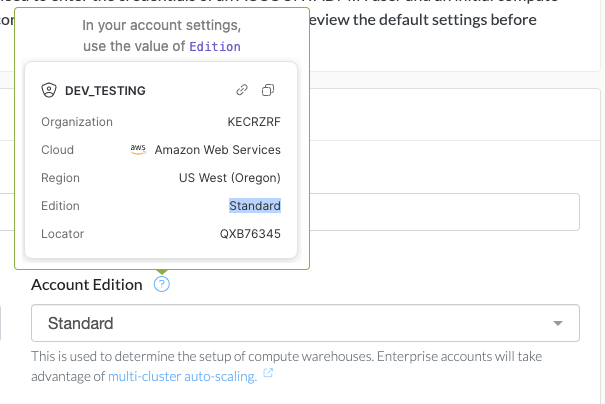
### Account Edition:
Edition
{% hint style="success" %}
If you have an Enterprise account, choose the Enterprise edition option so you may take advantage of the Snowflake automatic cluster scaling.
{% endhint %}
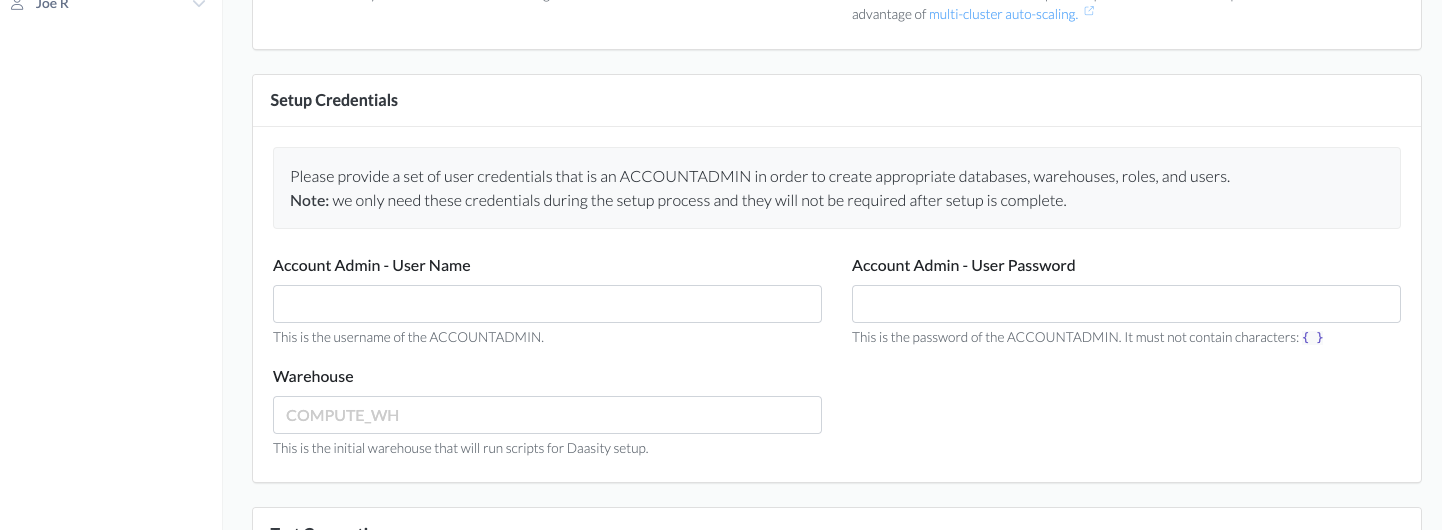
### Enter Setup Credentials
### These are the credentials of a user that has been granted the ACCOUNTADMIN role.
{% hint style="success" %}
**NOTE:** This credential information is ONLY required during setup and will NOT be used again.
**Daasity uses these credentials to set up the roles, users, etc required for Daasity.**
{% endhint %}
Credentials
### Test the Credentials
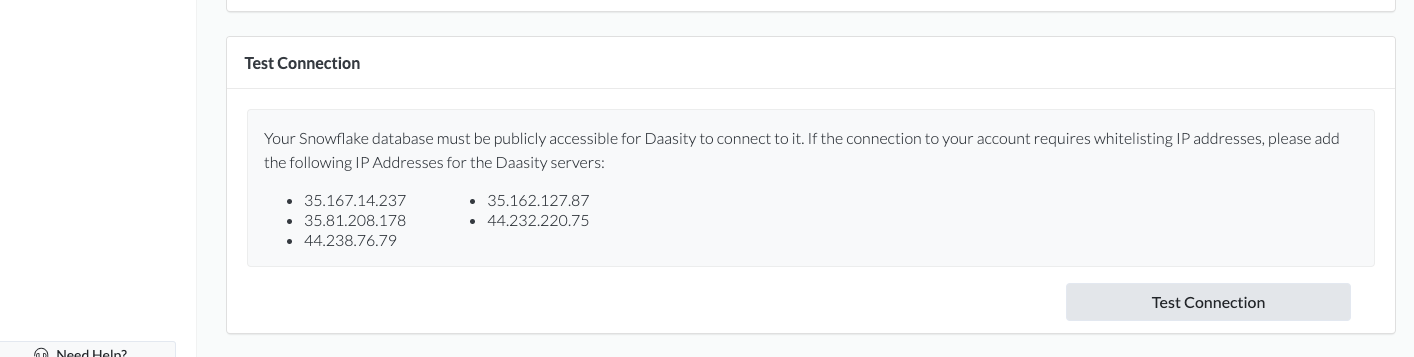
The last step is to validate the credentials / settings are working properly. By clicking the T**est Connection** button, it will verify the Admin Credentials along with Access to the initial Compute Warehouse.
Test Connection
### Review Settings
{% hint style="success" %}
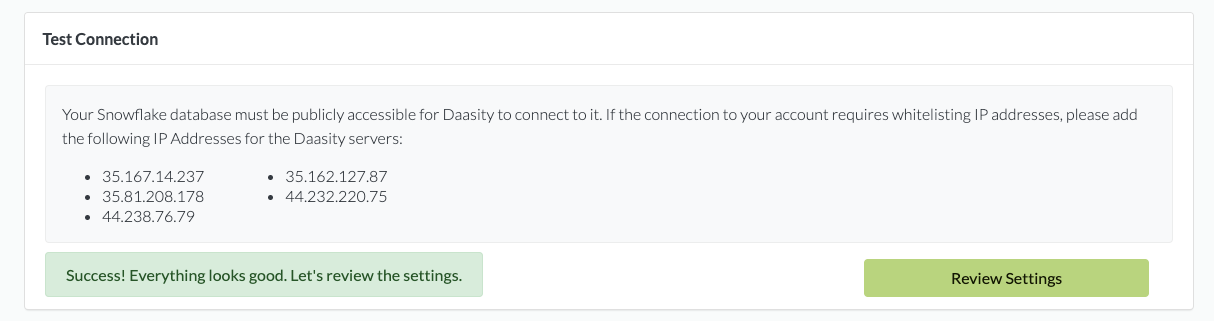
If the credentials work, you will be prompted to move along to the next step to **Review the settings.**
{% endhint %}
Success
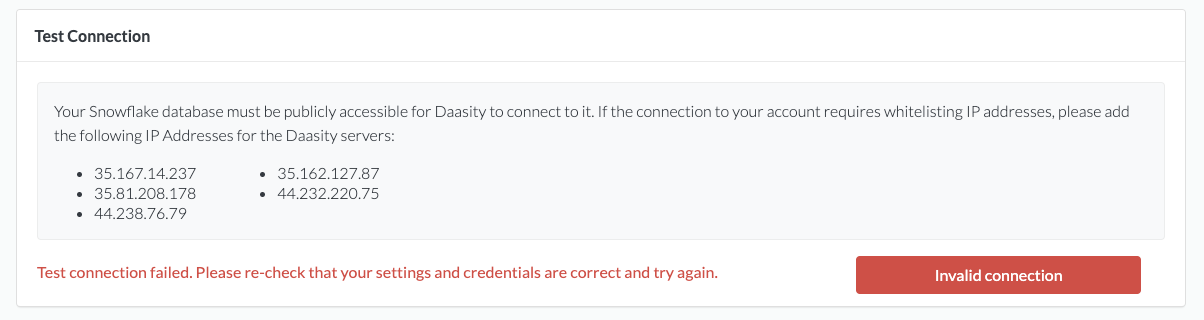
### Credentials did NOT work
Failed
Typical mistakes which cause the validation to fail are:
* Invalid credentials - username / password
* Password or username must NOT contain the curly brace characters { or }
* User does not have access to the compute warehouse
* The Snowflake account may not be publicly accessible. If not, you will need to add the Daasity servers to the whitelist.
**Once you have troubleshooted and Passed the Test Connection**
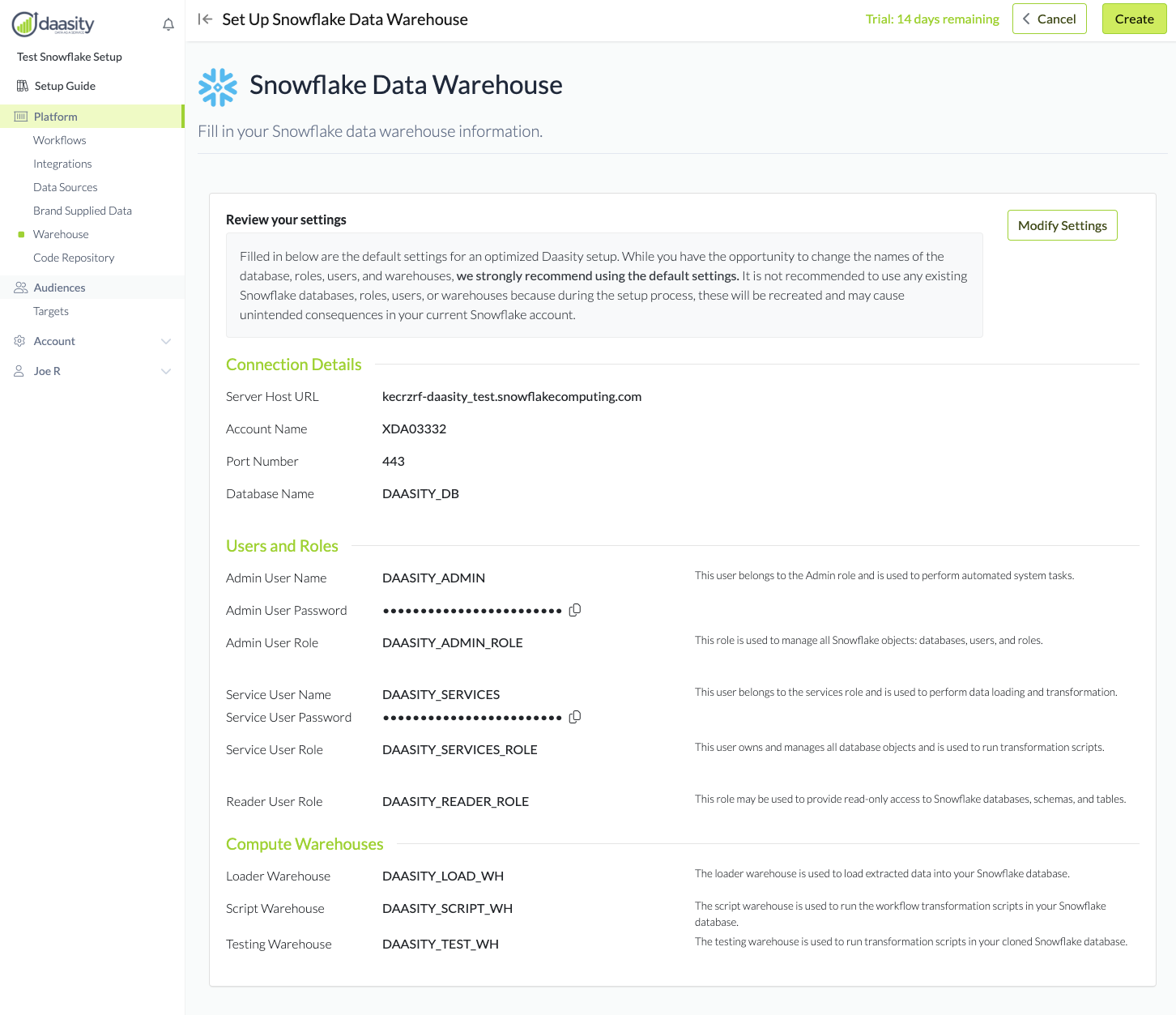
## We suggest using the Default Settings
Default
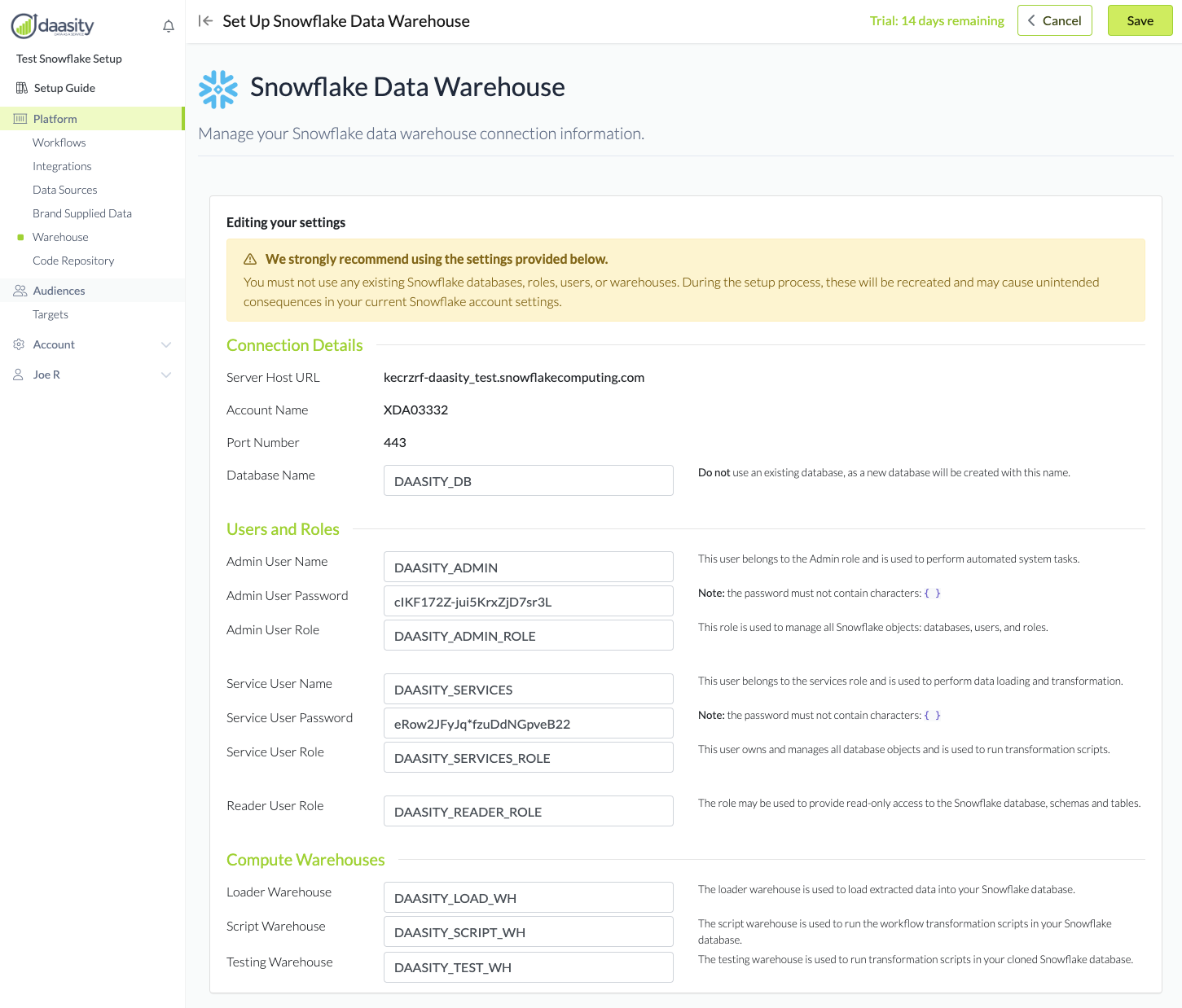
### Modify Settings (NOT Recommended)
Modify
\
Create Warehouse - Start the setup process
------------------------------------------
### Click the \[Create] button to start the setup process
The setup screen will show the progress: