# BigQuery

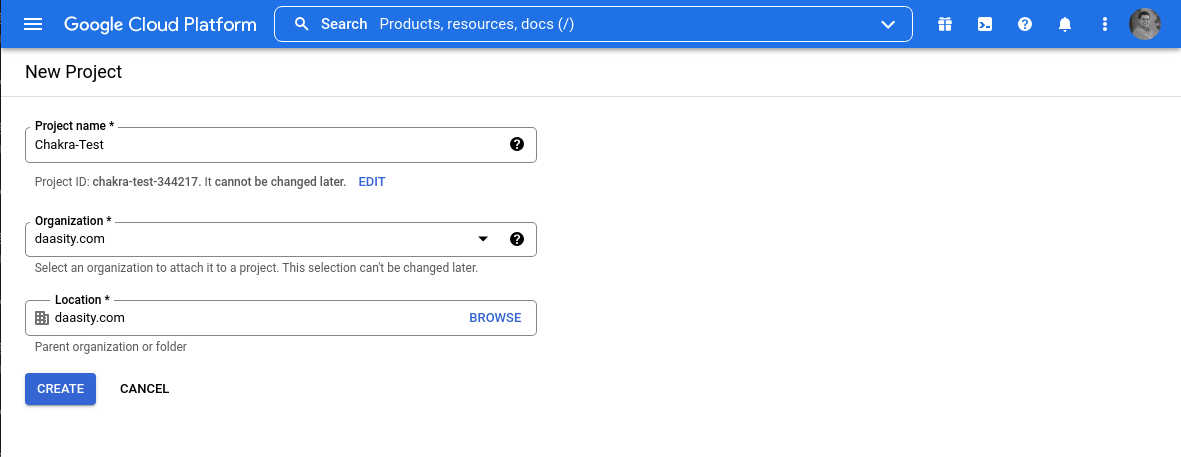
Follow these steps to create a dataset in Google Cloud Platform for Daasity to load data into.&#x20;

## 1. Create a new Project

<div data-full-width="false"><figure><img src="/files/SWHfUScX5kJII9KNrVPY" alt=""><figcaption></figcaption></figure></div>

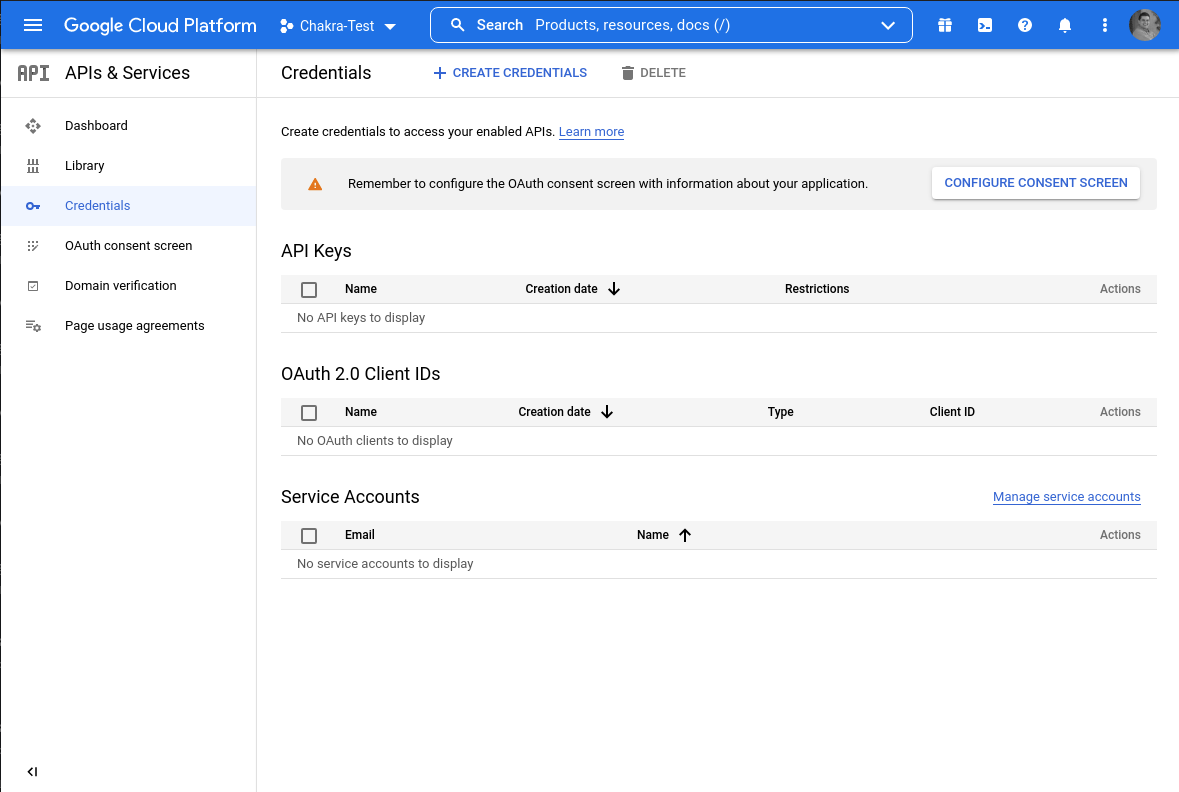
## 2. Create API Services / Credentials

<div data-full-width="false"><figure><img src="/files/O6KKkXSnlg9IU0a86Gdw" alt=""><figcaption></figcaption></figure></div>

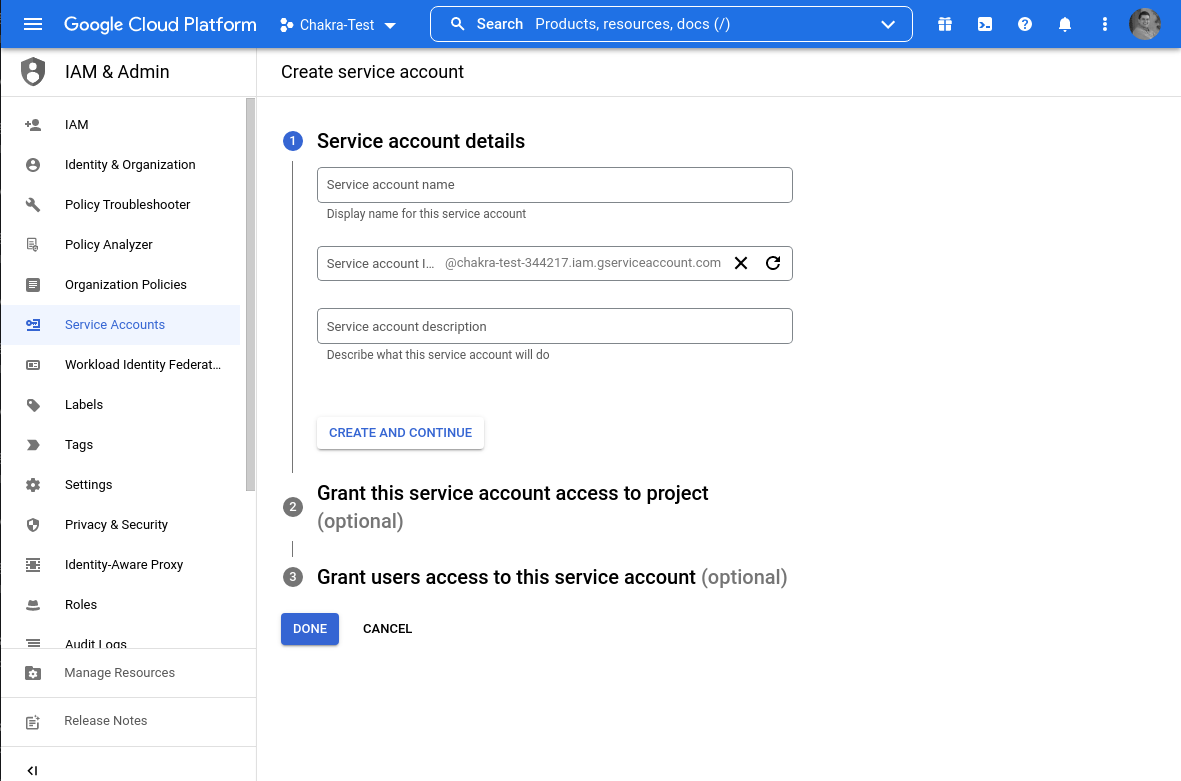
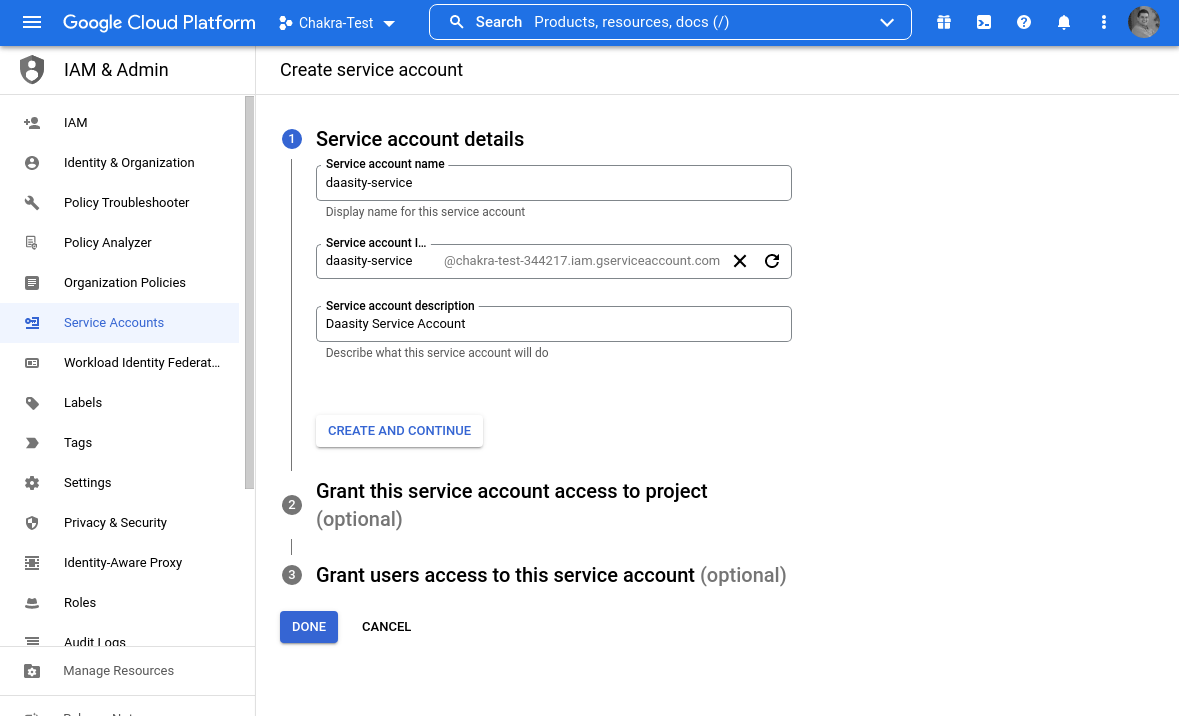
## 3. Create new service account

<div data-full-width="false"><figure><img src="/files/rfreeur8zGKxClyBjBey" alt=""><figcaption></figcaption></figure></div>

<div data-full-width="false"><figure><img src="/files/1j1cs58EghAyJq2p4p48" alt=""><figcaption></figcaption></figure></div>

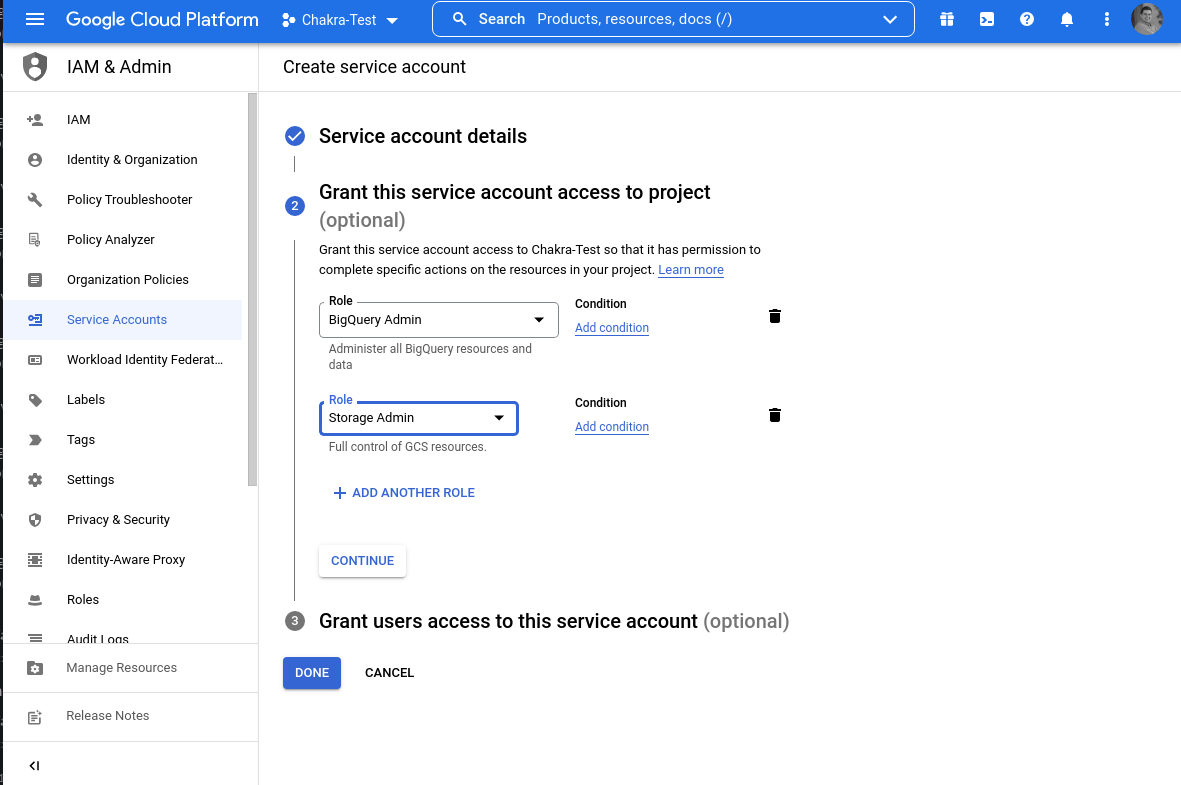
## 4. Create appropriate Service Roles

Service account **must** have **BigQuery Admin** and **Storage Admin** roles. They are necessary to grant privileges for service accounts when createing schemas/tables and loading data into them.

<figure><img src="/files/QqJpIR6ywuABy86ptTyh" alt=""><figcaption></figcaption></figure>

<figure><img src="/files/lFGEAFwXo3eUkqFP4CDI" alt=""><figcaption></figcaption></figure>

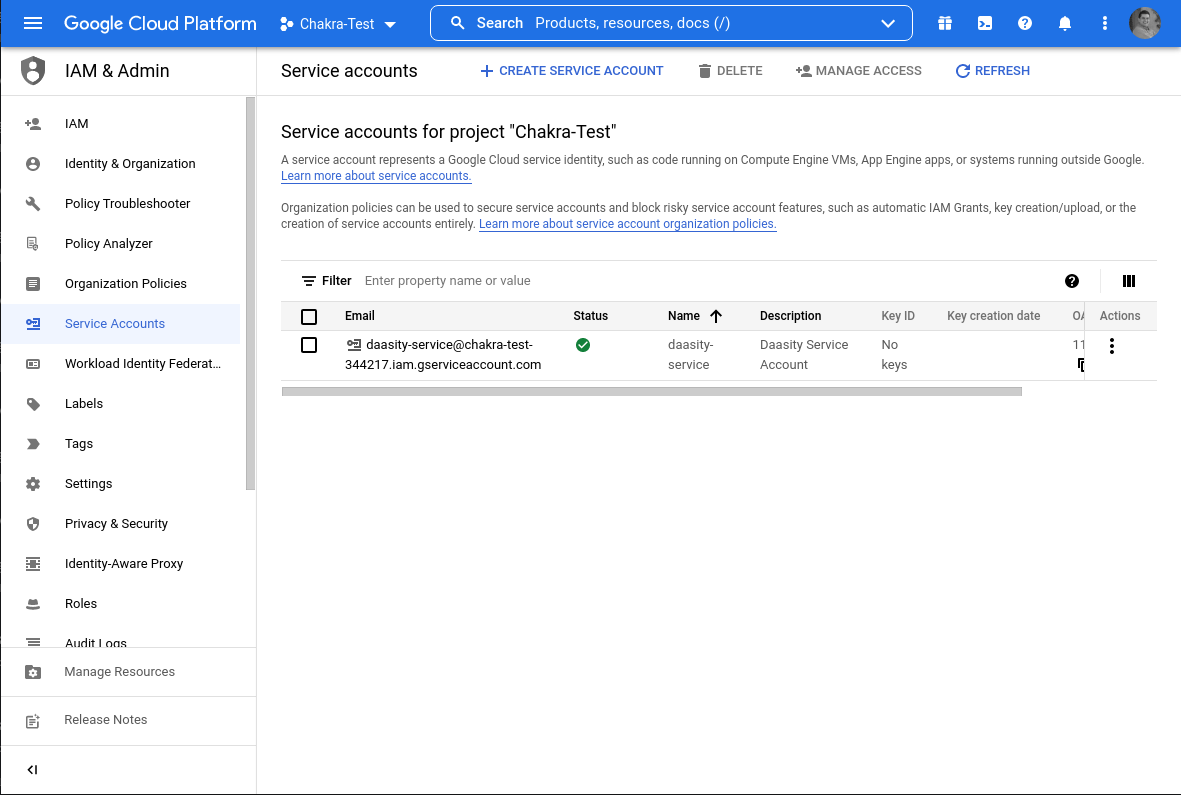
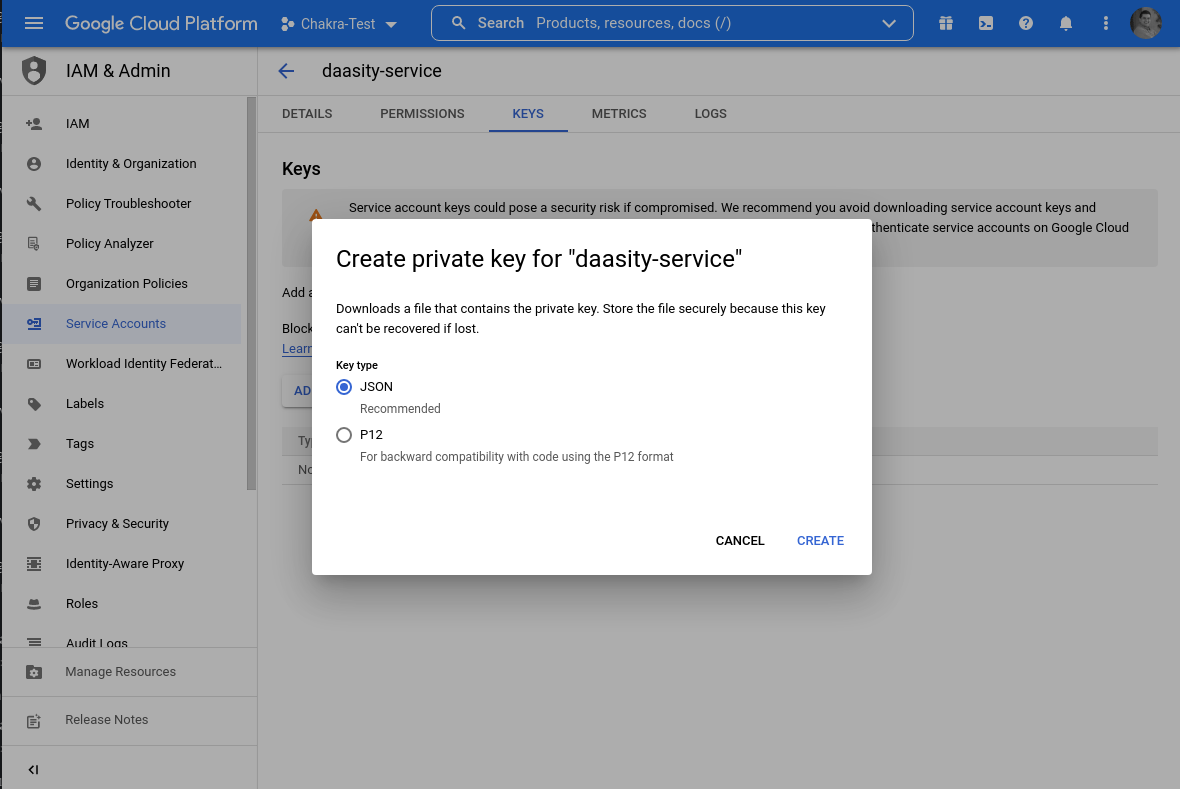
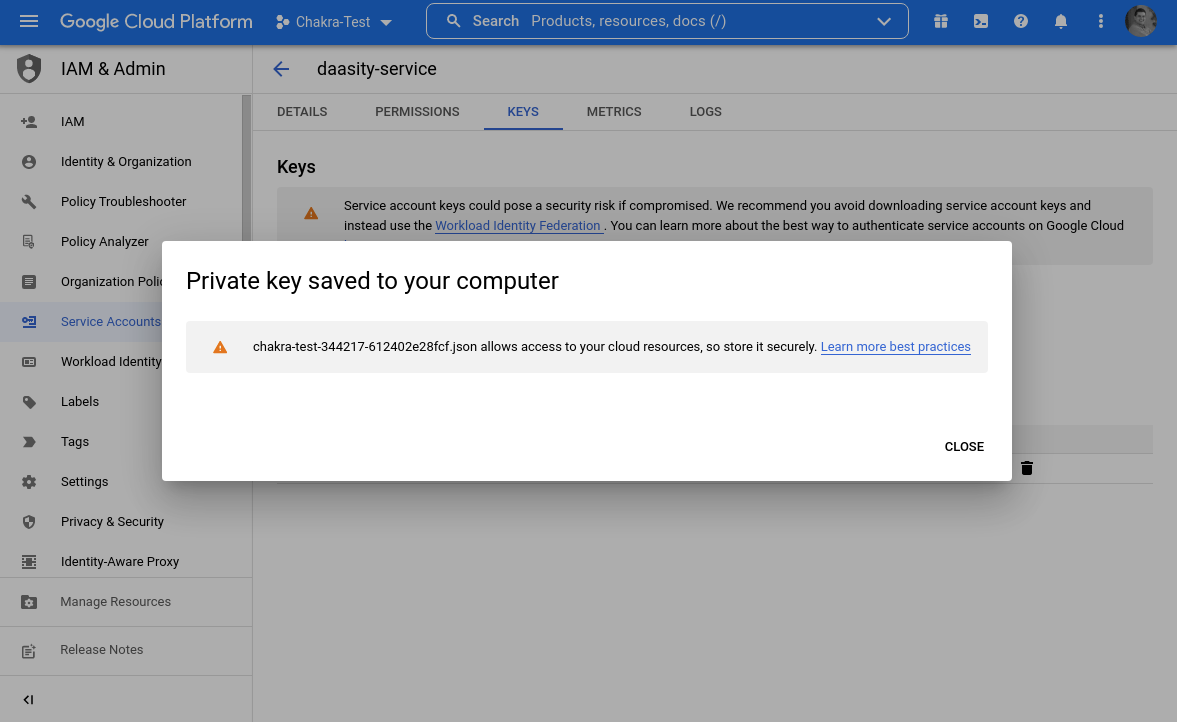
## 5. Download private key JSON

This file holds the credentials for the service account you created and will be used when setting up a BigQuery warehouse on the Daasity app.
<figure><img src="/files/i87Cg6q3buLHkFKfHCi2" alt=""><figcaption></figcaption></figure>

<figure><img src="/files/KP4Ek6EMT55MR4h5ur6f" alt=""><figcaption></figcaption></figure>


---

# Agent Instructions: Querying This Documentation

If you need additional information that is not directly available in this page, you can query the documentation dynamically by asking a question.

Perform an HTTP GET request on the current page URL with the `ask` query parameter:

```
GET https://help.daasity.com/getting-started/installation/1-connect-your-warehouse/bigquery.md?ask=<question>
```

The question should be specific, self-contained, and written in natural language.
The response will contain a direct answer to the question and relevant excerpts and sources from the documentation.

Use this mechanism when the answer is not explicitly present in the current page, you need clarification or additional context, or you want to retrieve related documentation sections.