# Okendo Reviews Explore

## Overview

This explore allows you to deep-dive into the data extracted by our [Okendo integration](https://help.daasity.com/core-concepts/data-integrations/setup-guides/digital-integrations/okendo). You can slice and dice review data by time, products, and reviewers.&#x20;

## Setup

<details>

<summary>Growth accounts</summary>

If you have a **Growth** account, you just need to [set up the Okendo integration](https://help.daasity.com/extract/integrations/okendo-beta/integration-setup) and trigger a history load. Once you do this, you will see the Okendo Reviews explore in your explore list:

![](https://content.gitbook.com/content/amTMWiPne1v1V3L7mbuj/blobs/jBaEmka8t9onmbTsM5dN/image.png)

</details>

<details>

<summary>Enterprise accounts</summary>

If you have an **Enterprise** account, please reach out to <support@daasity.com> to help you set up the explore.&#x20;

Or, if you are using our [Hub & Spoke Looker setup](https://help.daasity.com/technical-docs/looker-guides-dev-lookml/daasity-hub-and-spoke-introduction), you can simply add the following line of code to your addons.lkml file:

<pre><code><strong>include: "//base_daasity/**/integration/okendo/*"
</strong></code></pre>

Once enabled, it will be available in the explore menu alongside other Daasity explores:

![](https://content.gitbook.com/content/amTMWiPne1v1V3L7mbuj/blobs/oMEpq0IDacztYcMWSEG1/image.png)

</details>

## Explore contents

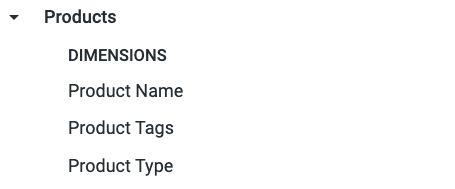
The **Products** view contains product details for reviewed products. These details represent the latest values from your Shopify store.

Note: We are unable to join in your SKU Attributes or SKU Hierarchy details in this explore because we do not get SKU-level identifiers in the raw Okendo data.

<div align="left"><figure><img src="https://content.gitbook.com/content/amTMWiPne1v1V3L7mbuj/blobs/s9j48D754uLyqTUK2XdX/image.png" alt="" width="341"><figcaption></figcaption></figure></div>

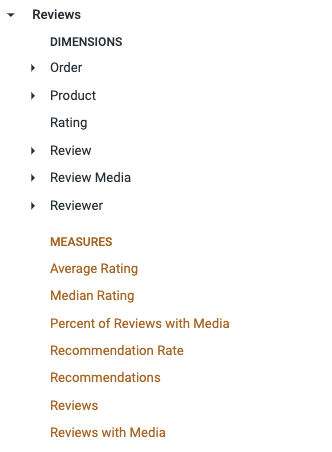
The **Reviews** view contains review information provided by Okendo.&#x20;

<div align="left"><figure><img src="https://content.gitbook.com/content/amTMWiPne1v1V3L7mbuj/blobs/1ycvwev2rr0SUv01P7TM/image.png" alt=""><figcaption></figcaption></figure></div>

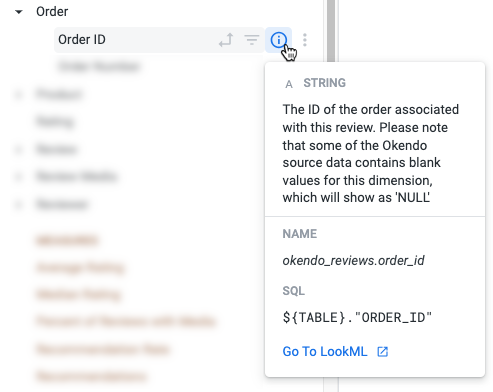
For more information about specific fields, hover over the field and click the `i` icon:

<div align="left"><figure><img src="https://content.gitbook.com/content/amTMWiPne1v1V3L7mbuj/blobs/PfUbcMZ4qY7xzymRC7VT/image.png" alt=""><figcaption></figcaption></figure></div>