> For the complete documentation index, see [llms.txt](https://help.daasity.com/llms.txt). Markdown versions of documentation pages are available by appending `.md` to page URLs; this page is available as [Markdown](https://help.daasity.com/core-concepts/data-models/data-explores/digital-analytics-unified/traffic-explore.md).
# Traffic Explore
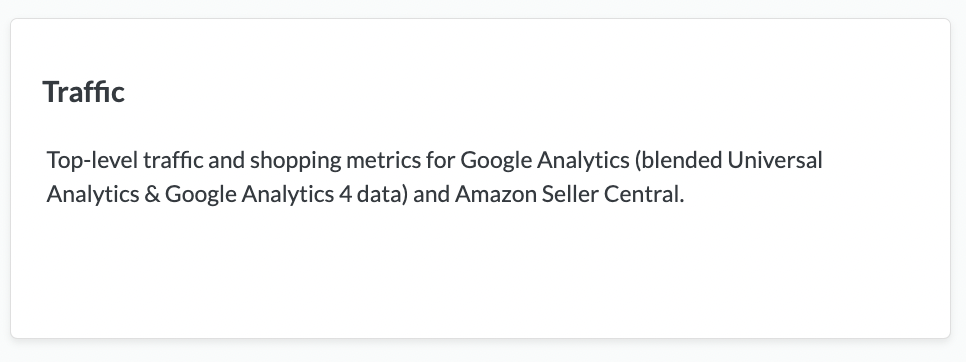
Contains blended shopping and traffic data across Google Analytics, GA4 and Amazon Seller Central
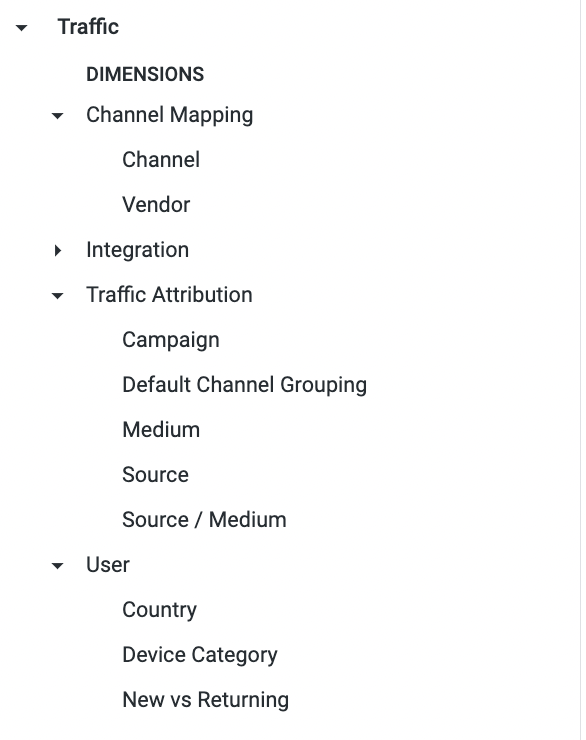
Contains your UTM Source/Medium and Campaign parameters to measure Sessions in Google Analytics as well as shopping and traffic metrics for Amazon Seller Central
Traffic Explore
## This Explore Allows You To:
1. View Universal Analytics & Google Analytics 4 data in a single model without any duplicated data or gaps in the data.
2. Choose when you want your reporting to cut over from UA to GA4. For example: You can have UA data populate the reports up through 6/30/2023 and from 7/1/2023 on the data will be from GA4
3. See Traffic & Conversion related metrics for Google Analytics & Amazon side by side.
{% hint style="success" %}
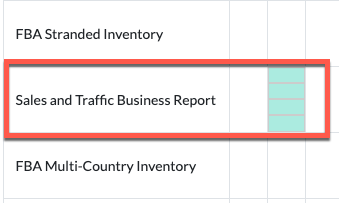
You Must Enable Your **Sales and Traffic Business Report** in [Your Amazon Seller Central Reports.](/core-concepts/data-integrations/setup-guides/digital-integrations/amazon-seller-central/integration-setup/configure-amazon-reports.md)
{% endhint %}
Configure Sales and Traffic Business Report
{% hint style="danger" %}
**The Sales & Traffic Business reports are NOT enabled by default when you set up the Amazon Seller Central Integration because:**
* **These reports will Fail if you do NOT have Brand Analytics available in your Seller Central account. If that is the case, you need to deactivate the integration in order to avoid failures.**
* You will likely need to Re-Auth in order to get the reports to successfully run
{% endhint %}
Key Dimensions
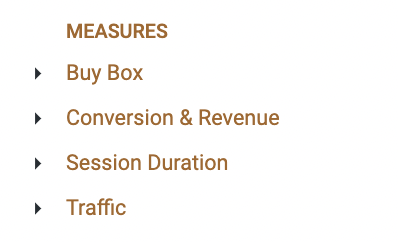
Key Measures
## The [Site Analytics and Attribution ](/core-concepts/dashboards/report-library/ecommerce-performance/site-analytics-and-attribution.md)Dashboard is a Standard Out-of-Box Daasity Dashboard Built Using the Traffic Explore