> For the complete documentation index, see [llms.txt](https://help.daasity.com/llms.txt). Markdown versions of documentation pages are available by appending `.md` to page URLs; this page is available as [Markdown](https://help.daasity.com/core-concepts/data-integrations/setup-guides/digital-integrations/knocommerce/integration-setup.md).
# Integration Setup
This page will help you setup KnoCommerce for the first time, and provide instructions for recurring data updates as needed.
## Step 1: Navigate to 'New Integration' screen
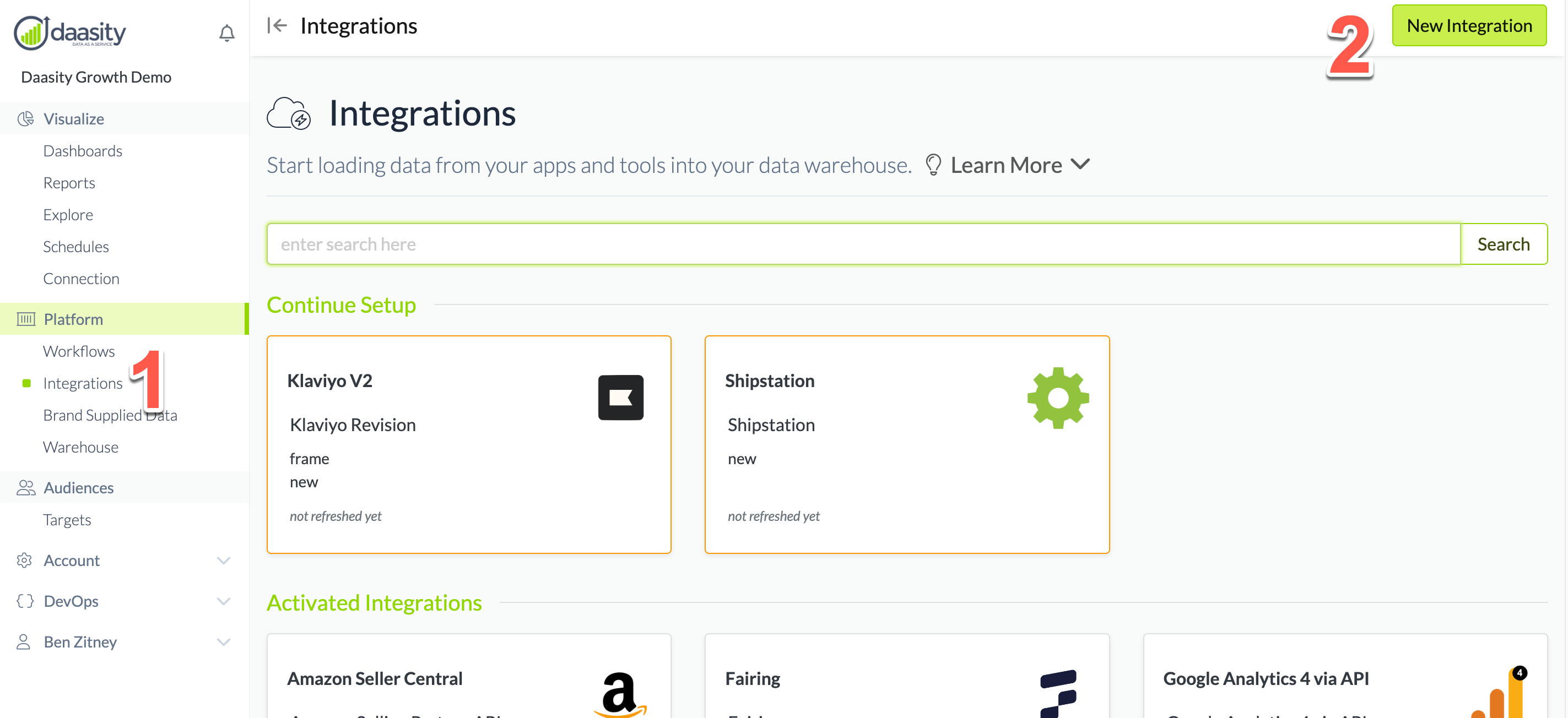
In the Daasity app, click **Integrations** in the left-hand menu, and then the **New Integration** button in the upper-right corner.
## Step 2: Choose the KnoCommerce integration
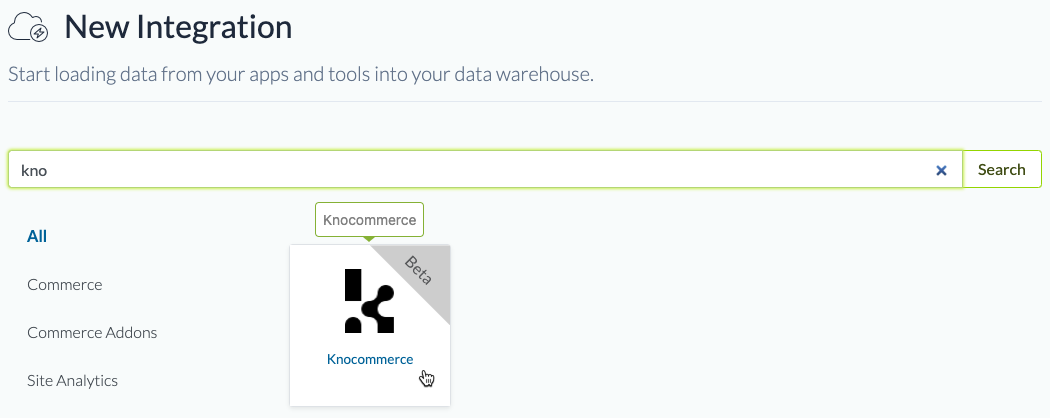
In the search box, type "kno" and choose the KnoCommerce integration.
## Step 3: Name the integration
Give the integration a name. This is the name that will be displayed in your integrations list in the Daasity app.
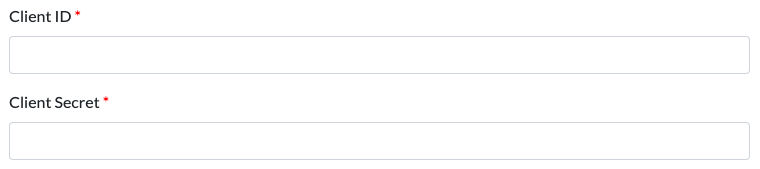
## Step 4: Add API Client ID and Client Secret
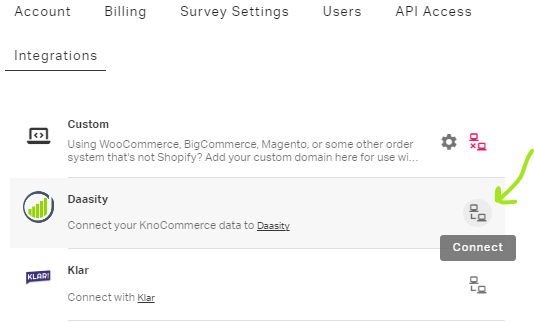
You can get these in your KnoCommerce app. In the app, navigate to the **Integrations** page. Find the **Daasity** integration and click the **Connect** button.
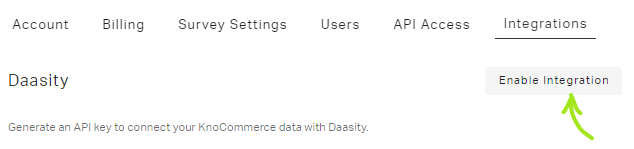
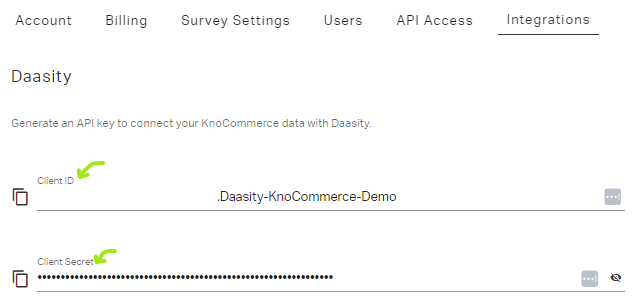
Once the Daasity Integration subpage opens up, click the Enable Integration button to create your API Key and API Secret automatically.
Once you create the key and secret, copy/paste them into the Daasity platform to finalize the setup.
## Step 5: Load history
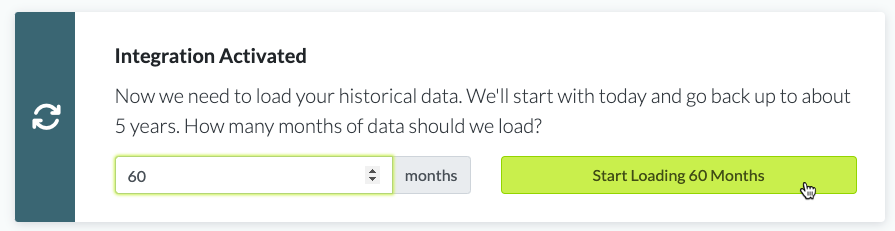
From the integration details screen, trigger a load of up to 5 years of history: