> For the complete documentation index, see [llms.txt](https://help.daasity.com/llms.txt). Markdown versions of documentation pages are available by appending `.md` to page URLs; this page is available as [Markdown](https://help.daasity.com/core-concepts/data-integrations/setup-guides/digital-integrations/amazon-seller-central/integration-setup/monitor-amazon-reports.md).
# Monitor Amazon Reports
To monitor the status of your Amazon Seller Central Reports please follow these instructions.
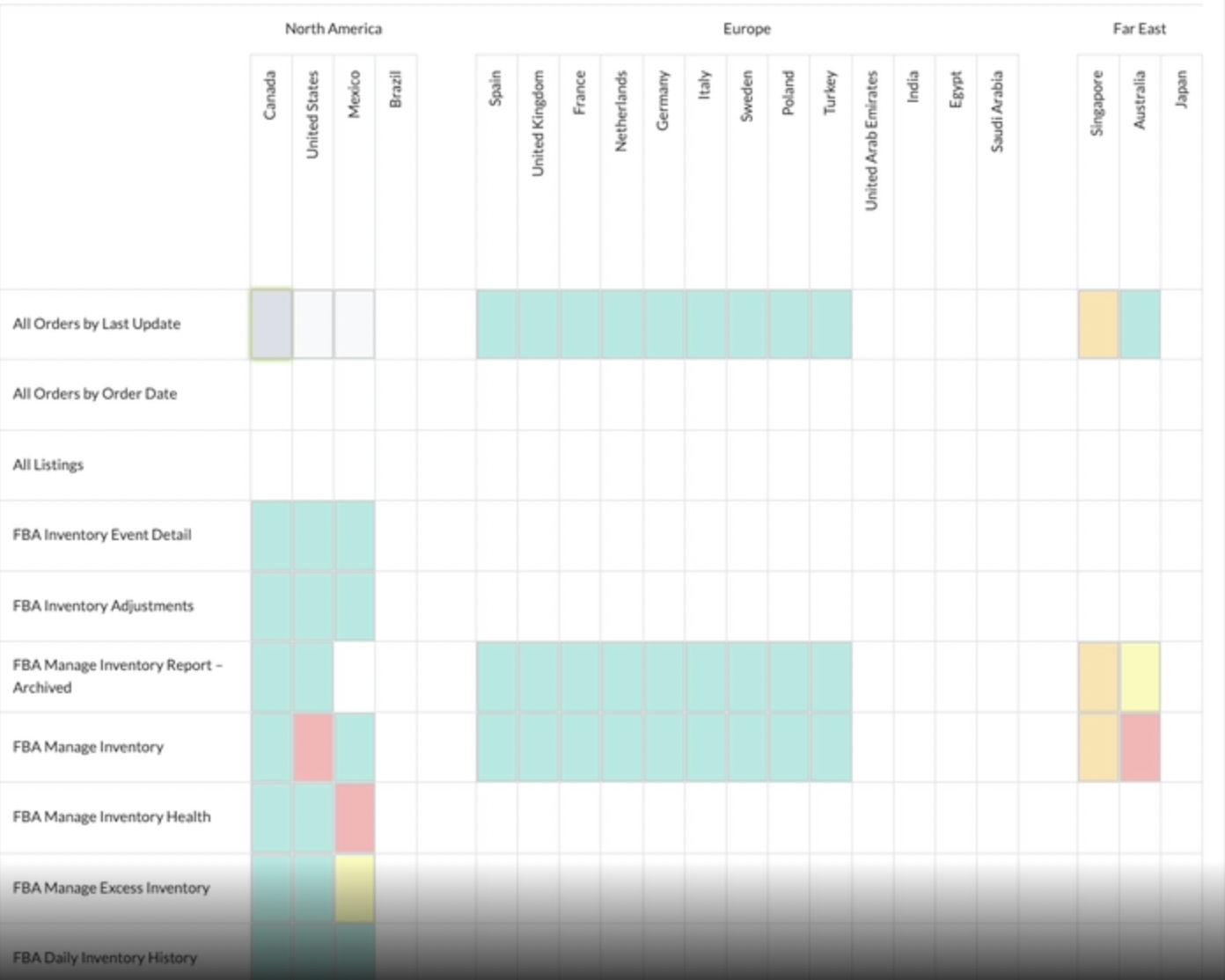 The Legend at the Top of the Table Defines the Report Status
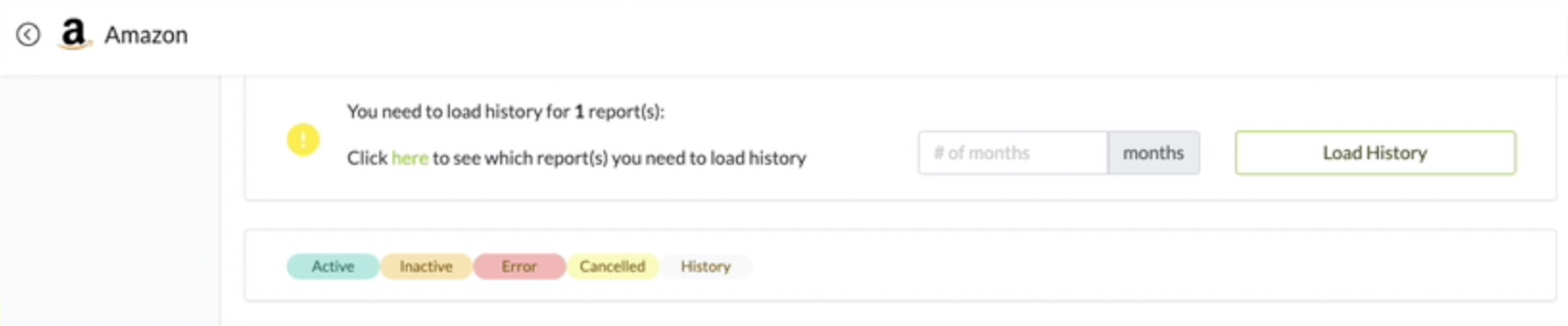 | Color | Report Status |
| ------ | ----------------------- |
| Green | [Active](#active) |
| Orange | [Inactive](#inactive) |
| Red | [Failed](#failed) |
| Yellow | [Cancelled](#cancelled) |
| Gray | [History](#history) |
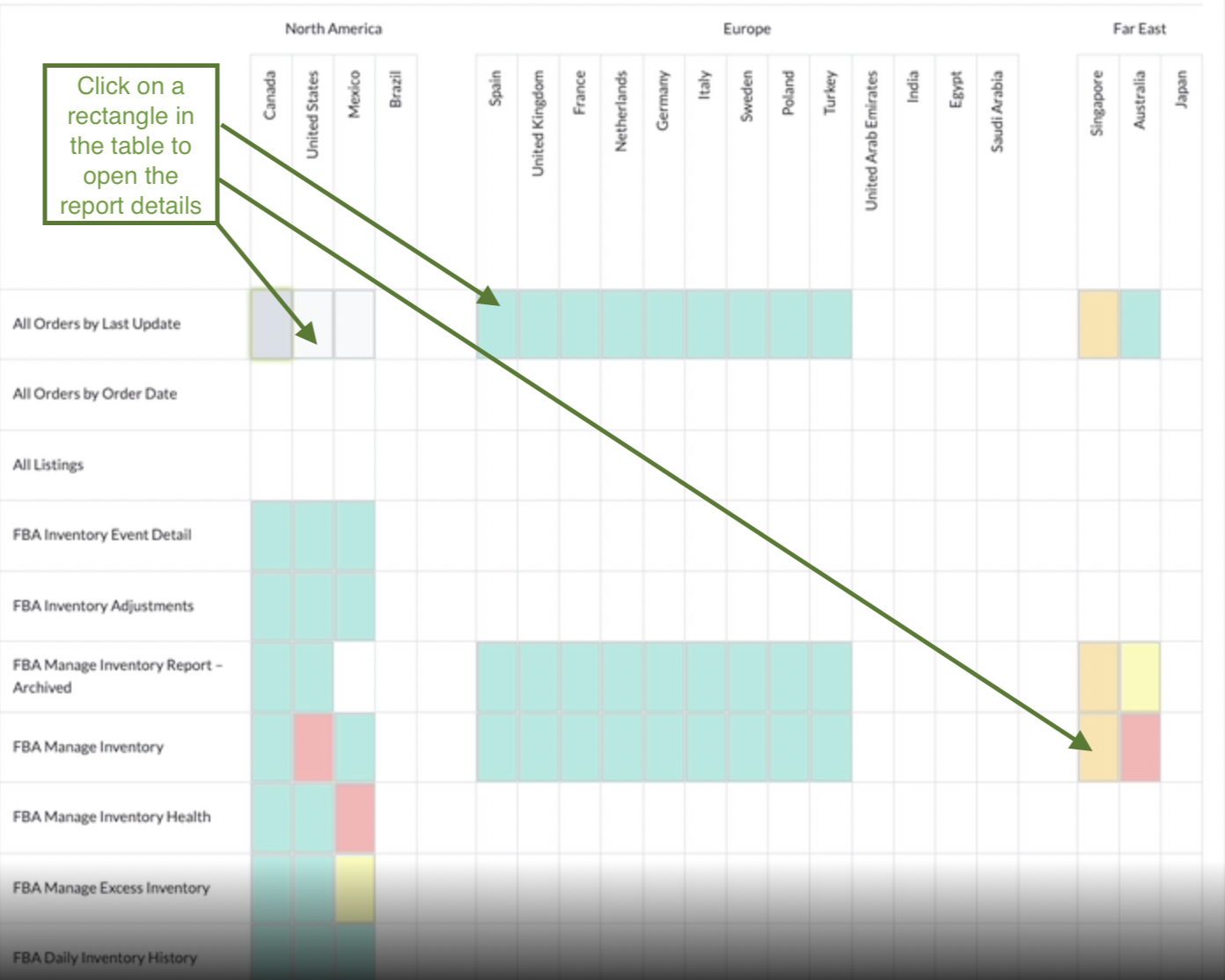
Click a Report (Rectangle in the Table) to see the Report Status
| Color | Report Status |
| ------ | ----------------------- |
| Green | [Active](#active) |
| Orange | [Inactive](#inactive) |
| Red | [Failed](#failed) |
| Yellow | [Cancelled](#cancelled) |
| Gray | [History](#history) |
Click a Report (Rectangle in the Table) to see the Report Status
 ## Report Status Troubleshooting
### Active
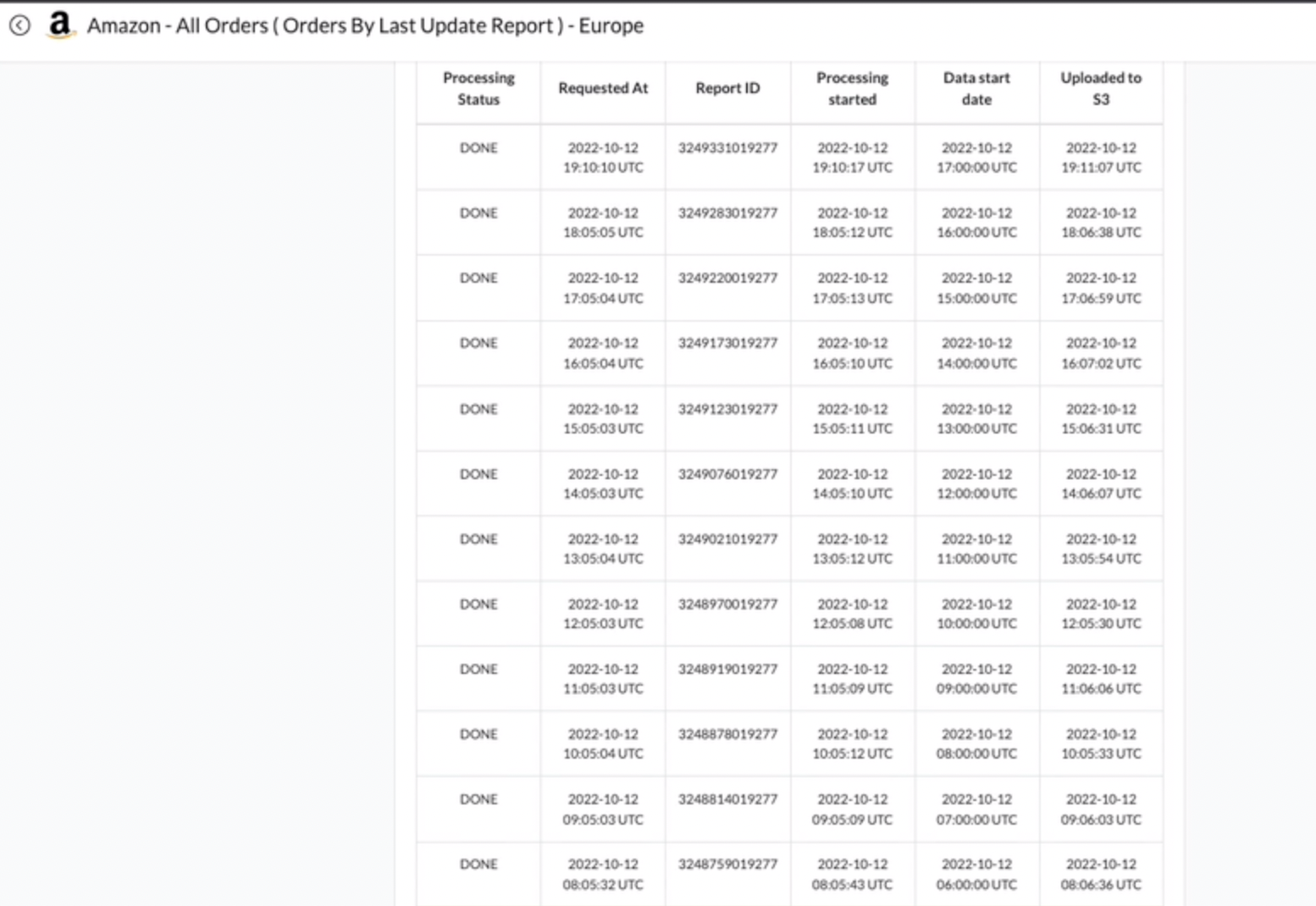
An Active Report (Green) is a Report that has Successfully Updated. Processing Status = DONE
## Report Status Troubleshooting
### Active
An Active Report (Green) is a Report that has Successfully Updated. Processing Status = DONE
 ***
### Inactive
An Inactive (Orange) Report has been Deactivated.
***
### Inactive
An Inactive (Orange) Report has been Deactivated.
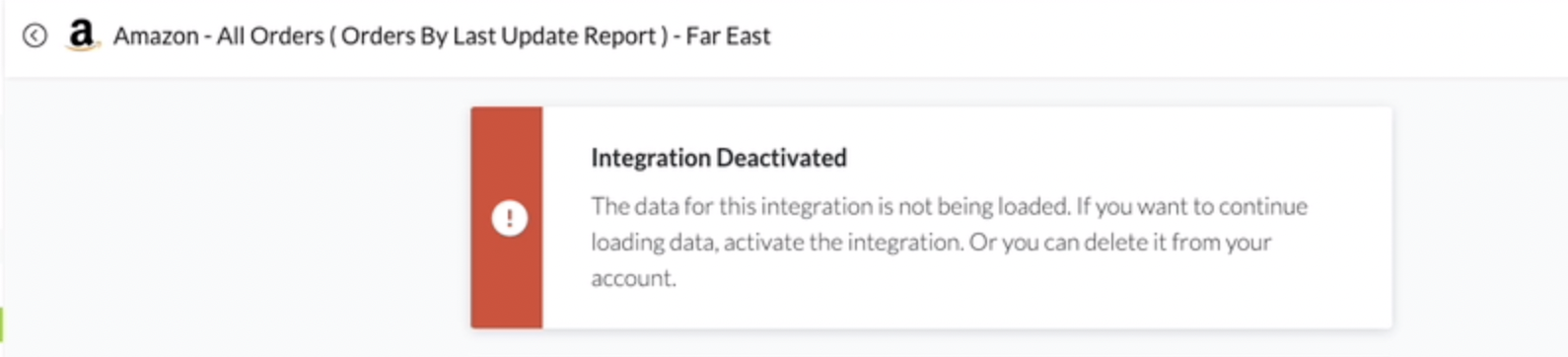 Activate the Report by Clicking the Green Activate Button in the Top-Left Corner of the Screen
 ***
### Failed
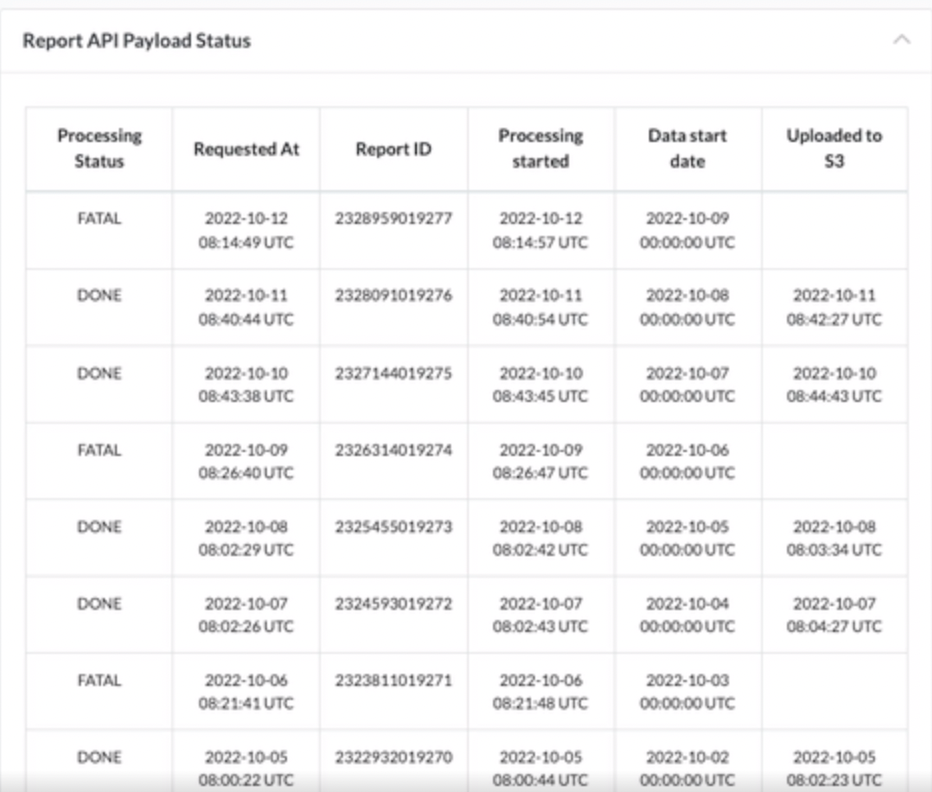
A Failed Report (Red) is a Report that Failed to Process most likely due to an Amazon API error.
{% hint style="info" %}
**Please Email: to troubleshoot a Failed Report**
{% endhint %}
***
### Failed
A Failed Report (Red) is a Report that Failed to Process most likely due to an Amazon API error.
{% hint style="info" %}
**Please Email: to troubleshoot a Failed Report**
{% endhint %}
 {% hint style="info" %}
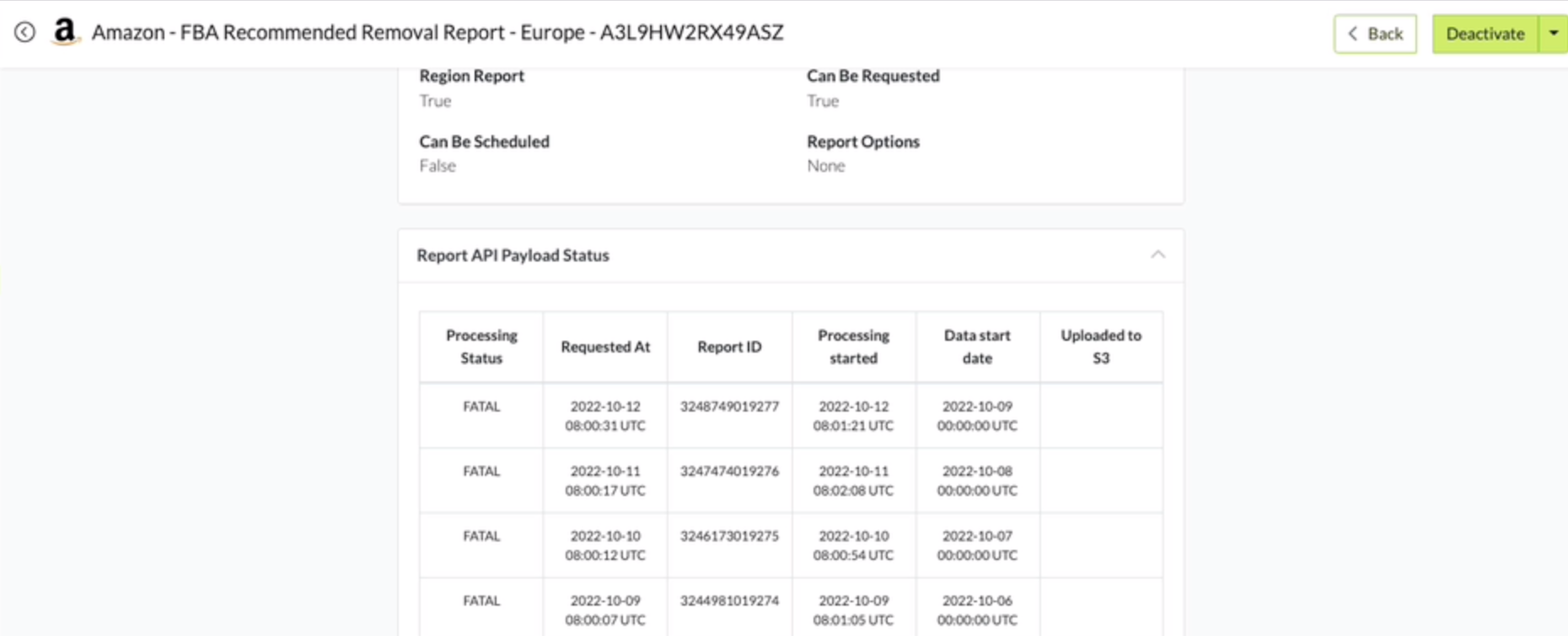
NOTE: **If Processing Status = FATAL for multiple dates consecutively we recommend Deactivating the report and Contacting Amazon support.**
{% endhint %}
{% hint style="info" %}
NOTE: **If Processing Status = FATAL for multiple dates consecutively we recommend Deactivating the report and Contacting Amazon support.**
{% endhint %}
 ***
### Cancelled
A Cancelled Report (Yellow) has been Cancelled by Amazon due to Zero Data.
{% hint style="info" %}
**NOTE:** **If a Report has been Cancelled multiple times in a row. Deactivate the Report because Amazon has strict API limitations and attempting to run a Cancelled Report will bog down the system. Email to investigate further**
{% endhint %}
***
### History
A History(Grey) Report is a Report that is Still Loading Historical Data.
***
### Cancelled
A Cancelled Report (Yellow) has been Cancelled by Amazon due to Zero Data.
{% hint style="info" %}
**NOTE:** **If a Report has been Cancelled multiple times in a row. Deactivate the Report because Amazon has strict API limitations and attempting to run a Cancelled Report will bog down the system. Email to investigate further**
{% endhint %}
***
### History
A History(Grey) Report is a Report that is Still Loading Historical Data.
 {% hint style="info" %}
**NOTE: Amazon API Limitations cause Historical Data to take Several Days to complete.**
{% endhint %}
{% hint style="info" %}
**NOTE: Amazon API Limitations cause Historical Data to take Several Days to complete.**
{% endhint %}