> For the complete documentation index, see [llms.txt](https://help.daasity.com/llms.txt). Markdown versions of documentation pages are available by appending `.md` to page URLs; this page is available as [Markdown](https://help.daasity.com/core-concepts/dashboards/report-library/data-source-dashboards/shipstation.md).
# Shipstation
## Overview
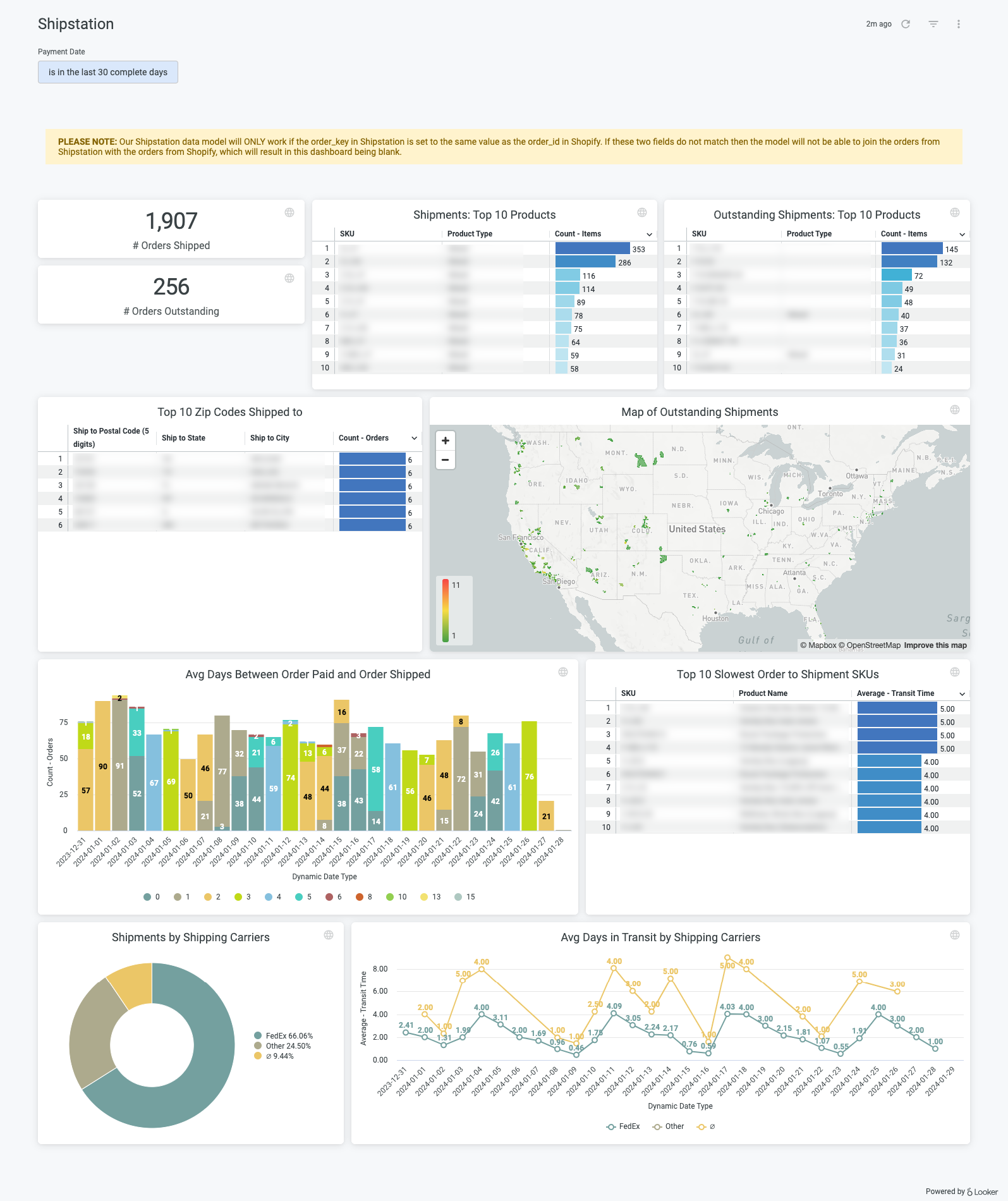
**ShipStation** is an order management and shipping software company that is designed to help retailers become more efficient at processing, fulfilling and shipping their e-commerce orders. The Shipstation integration allows merchants to pull ***shipment cost*** into the Daasity order data models to calculate gross margin with shipment cost deducted. The integration also allows merchants to analyze ***pending orders aging*** to help with supply chain management. Finally, this integration provides merchants with a holistic view of existing shipping carriers distributions, and allows for ***comparison of shipping speed efficiency and shipping cost efficiency***.
Proper analysis of the Shipstation dashboard can help answer the following questions:
* Are there any specific products or specific regions with a large number of outstanding shipments?
* How long after a customer places their order is that order shipping? Long times between order and ship dates can signal an issue with fulfillment.
* Are any shipping carriers showing longer than expected transit times? This information can help you optimize your delivery times by routing shipments to specific carriers.
## Setup
Growth accounts
If you have a **Growth** account, you just need to [set up the Shipstation integration](https://help.daasity.com/extract/integrations/shipstation/integration-setup) and trigger a history load. Once oyu do this, you see the Shipstation dashboard in your dashboard list.
Enterprise accounts
If you have an **Enterprise** account, please reach out to to help you set up the explore and dashboard. If you're using our [Hub & Spoke Looker setup](https://help.daasity.com/visualization/enterprise-looker-setup/hub-and-spoke-introduction), you can simply add the following line of code to your addons.lkml file:
```
include: "//base_daasity/**/integration/shipstation/*"
```
Once enabled, just search for "Shipstation" using the search bar in Looker.