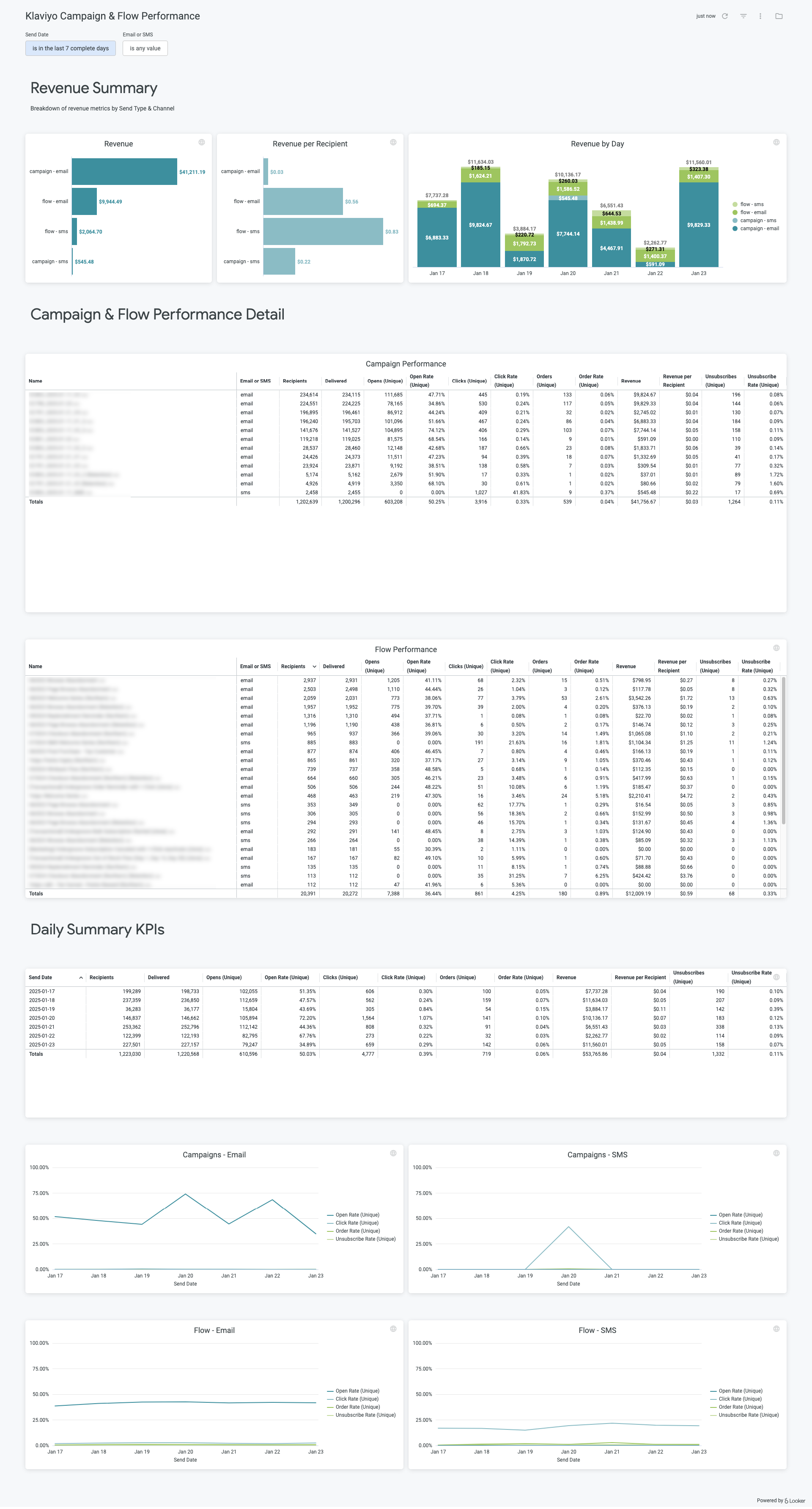
> For the complete documentation index, see [llms.txt](https://help.daasity.com/llms.txt). Markdown versions of documentation pages are available by appending `.md` to page URLs; this page is available as [Markdown](https://help.daasity.com/core-concepts/dashboards/report-library/data-source-dashboards/klaviyo-campaign-and-flow-performance.md).
# Klaviyo Campaign & Flow Performance
## Overview
This dashboard helps you to analyze the campaign & flow performance data from your Klaviyo Summary Statistics integration. It enables you to get perfomance data in Daasity exactly as you would see it in the Klaviyo admin.
## Setup
{% tabs %}
{% tab title="Enterprise accounts" %}
If you have an **Enterprise** account and don't already have this dashboard enabled, please reach out to to help you set up the explore and dashboard. Or, if you have developer access in Looker, you can simply add the following line of code to your addons.lkml file:
```
include: "//base_daasity/**/integration/klaviyo_summary_statistics/*"
```
Once enabled, just search for "Klaviyo Campaign" using the search bar in Looker.
{% endtab %}
{% tab title="Growth accounts" %}
If you have a **Growth** account, you just need to set up the Klaviyo Summary Statistics integration and trigger a history load. Once you do this, you will see this dashboard in your dashboard list.
{% endtab %}
{% endtabs %}
## Data sources
All of the visualizations in this dashboard use the **Klaviyo Campaign & Flow Performance** explore.
## Important things to know
### Discrepancies due to data lag
We pull the data to populate this dashboard during your nightly workflow — typically at midnight in your Daasity account's timezone. This means if there are any updates to the data between when the data is extracted and when you view the report, there will be a discrepancy.
### Timezone settings
The raw data you extract from Amazon will be in the UTC timezone. You can use the **Timezone Conversion** filter to toggle between the Original (UTC) dates and Converted (uses your Daasity app timezone settings) date.