> For the complete documentation index, see [llms.txt](https://help.daasity.com/llms.txt). Markdown versions of documentation pages are available by appending `.md` to page URLs; this page is available as [Markdown](https://help.daasity.com/core-concepts/dashboards/report-library/acquisition-marketing/vendor-reported-marketing-performance.md).
# Vendor-Reported Marketing Performance
## Overview
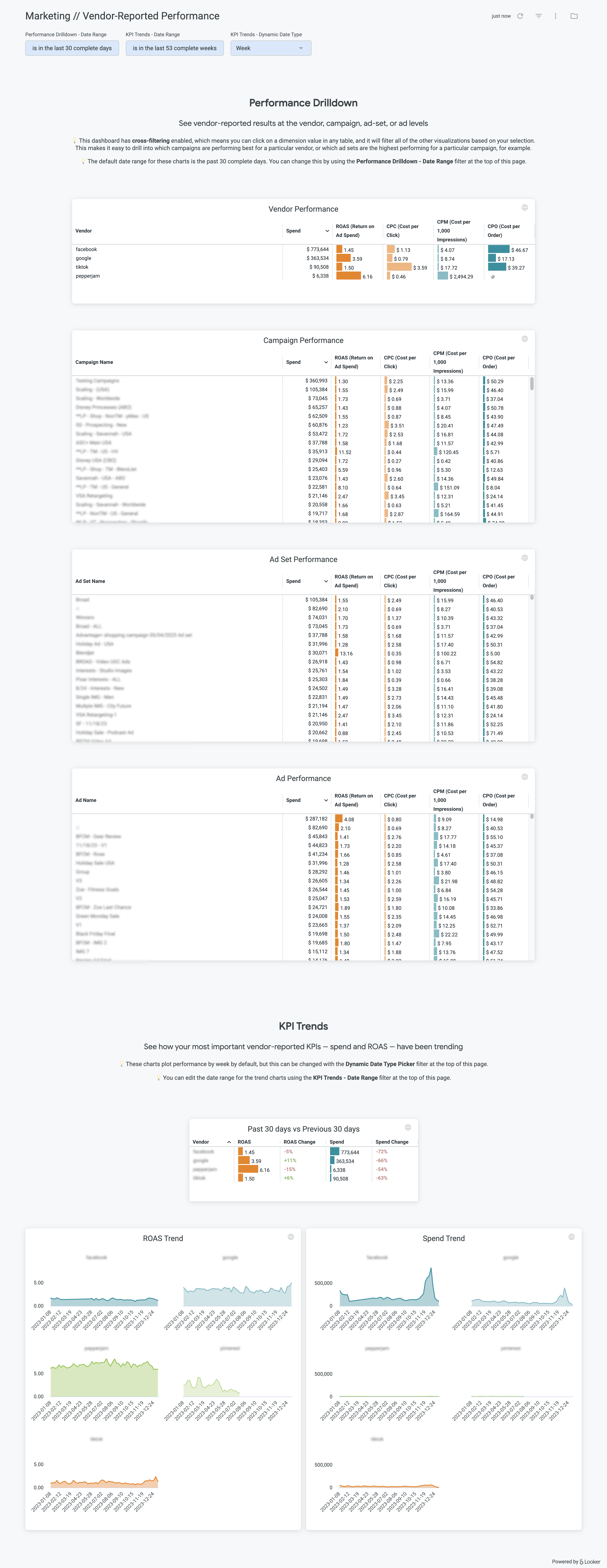
The Vendor-Reported Marketing Performance Dashboard allows you to dive into all of your integrated ad platform data in one all-encompassing dashboard. You can see marketing performance at the vendor, campaign, ad set, and ad level in one place.
{% hint style="info" %}
**All performance data is vendor-reported**
Alll of the data in this dashboard is pulled straight from the vendor as you would see in their ad reporting UI. That means the order and revenue numbers will reflect results from the ad platforms' tracking pixels, which will not match up with Google Analytics and/or Shopify. This is expected.
{% endhint %}
### Cross-filtering
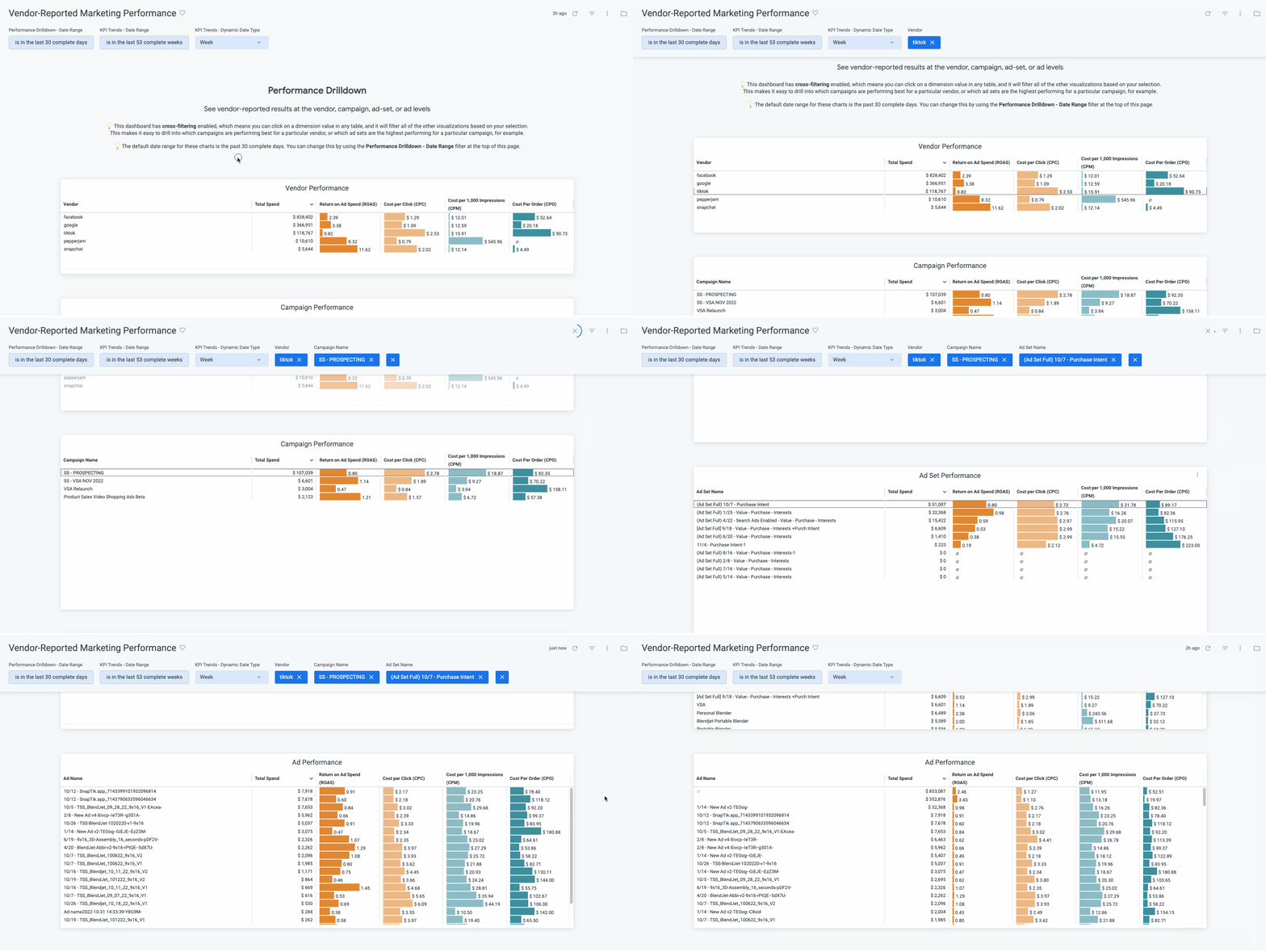
This dashboard has cross-filtering enabled, which allows you to easily drill down and segment the entire dashboard with a few clicks. If you click on a vendor from the **Vendor Performance** tile, for example, the entire dashboard will filter to only show results for that specific vendor. You can continue segmenting to show only results for specific campaigns from that vendor, etc.
An example of cross-filtering in action
## Setup
The **Vendor-Reported Marketing Performance** dashboard will be available in your dashboard list by default. If you do not have any marketing platform integrations enabled in Daasity, it will be blank.
## Important notes
### NULL ad and ad set names
You may see some ad names that are null in this dashboard. This is likely due to Google Ads data. If the ad does not have a name, it will be NULL. Additionally, all ad and ad group information will be NULL for performance max and smart shopping campaigns