> For the complete documentation index, see [llms.txt](https://help.daasity.com/llms.txt). Markdown versions of documentation pages are available by appending `.md` to page URLs; this page is available as [Markdown](https://help.daasity.com/core-concepts/custom-data-and-enrichment/custom-attributes/e-commerce/channel-mapping/overview-and-setup.md).
# Overview & Setup
The Channel Mapping tab in your BSD Sheet allows you to map how your Sessions, Sales etc. are Attributed; changing how Google Analytics has attributed them.
## What is Channel Mapping & Why is it Important?
Understanding how your Marketing Channels and Vendors perform is crucial to leveraging your Marketing spend. Channel and Vendor performance can be tracked through several channels, including:
How do you acquire New Customers?
What is the Lifetime Value of customer who was acquired through each Marketing Channel and Vendor?
Which Marketing Channels and Vendors provide the best Return on Spend (ROAS)?
What Products are purchased most often via which Marketing Channel and Vendor?
Daasity allows you to determine Attribution based on the rules you set in the Channel Mapping BSD Sheet - Overriding what your Google Analytics has done.
### Filling out Your Brand Supplied Data Sheet
To assist with filling out your Chanel Mapping Sheet Daasity has built two reports in your Account Health Dashboard.
## Where to Find Your Data
{% hint style="success" %}
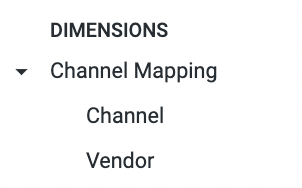
The Dimensions **Channel and Vendor** in the follow Explores will be the Mapped Channel and Vendors from your BSD Sheet.
{% endhint %}
{% hint style="success" %}
The Default Channel Grouping dimensions will be the Google Analytics attribution Channel
{% endhint %}
Channel and Vendor Dimensions Mapped from Your BSD
[Order and Order Line Revenue Explore](/core-concepts/data-models/data-explores/digital-analytics-unified/ecommerce-orders-and-revenue-by-order-date-explore.md)