> For the complete documentation index, see [llms.txt](https://help.daasity.com/llms.txt). Markdown versions of documentation pages are available by appending `.md` to page URLs; this page is available as [Markdown](https://help.daasity.com/advanced/rfm/rfm-in-the-daasity-app.md).
# RFM in the Daasity App
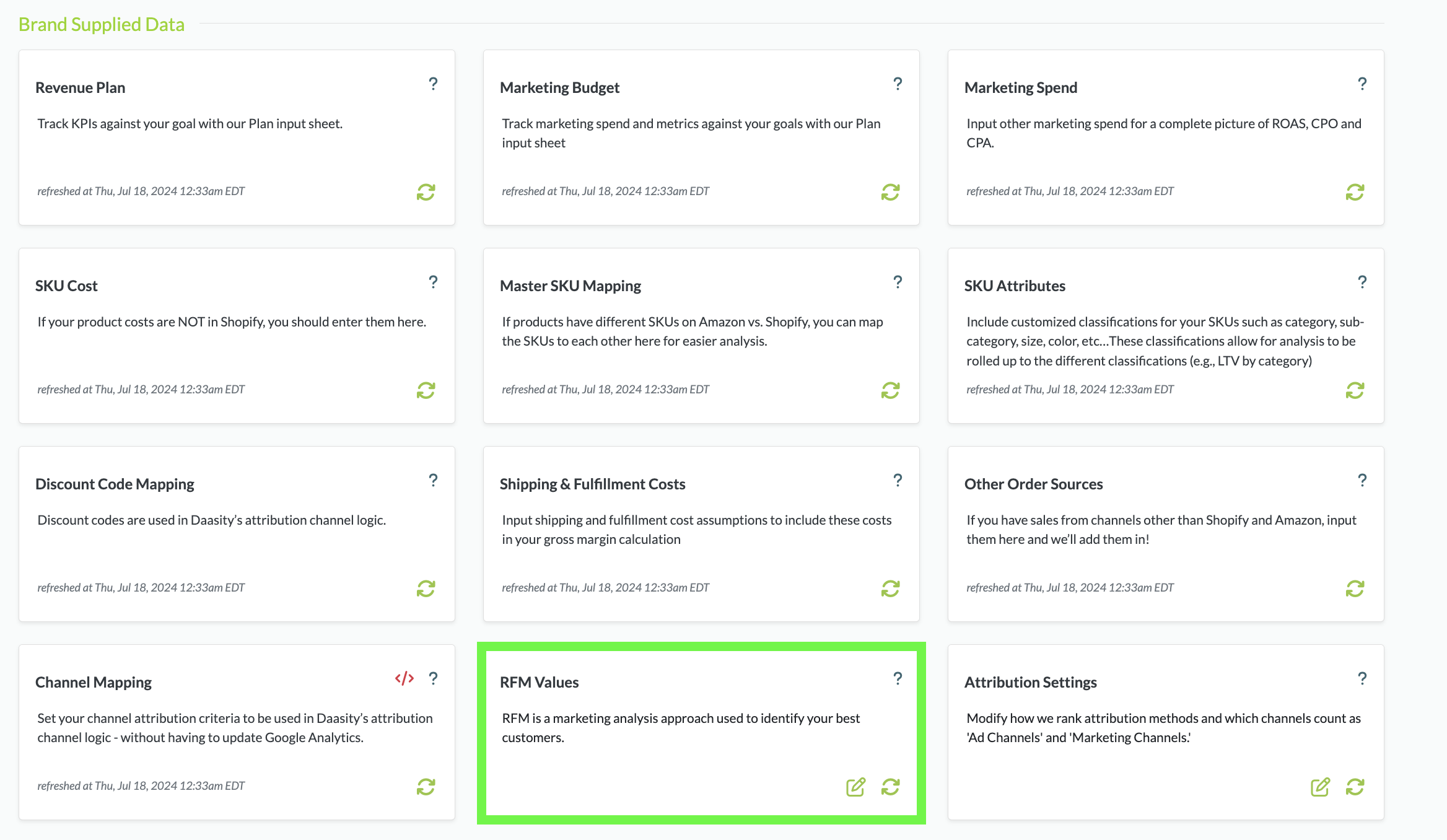
We use RFM in several Explores and Dashboards to help you better understand customer behavior. You can modify the values for RFM in the Daasity App for your business by navigating to the RFM Values within the Brand Data section of the Daasity App.
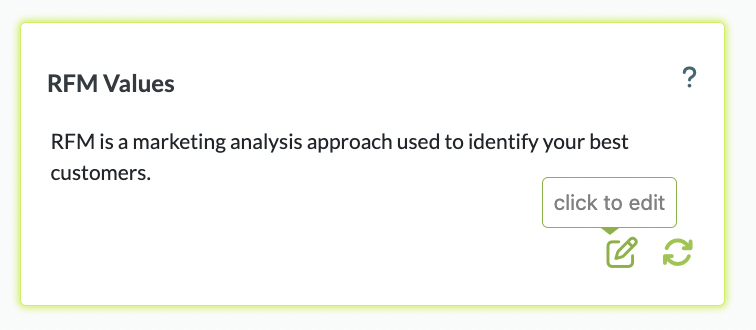
And then clicking to bring you to the RFM Settings screen:
RFM Values in BSD
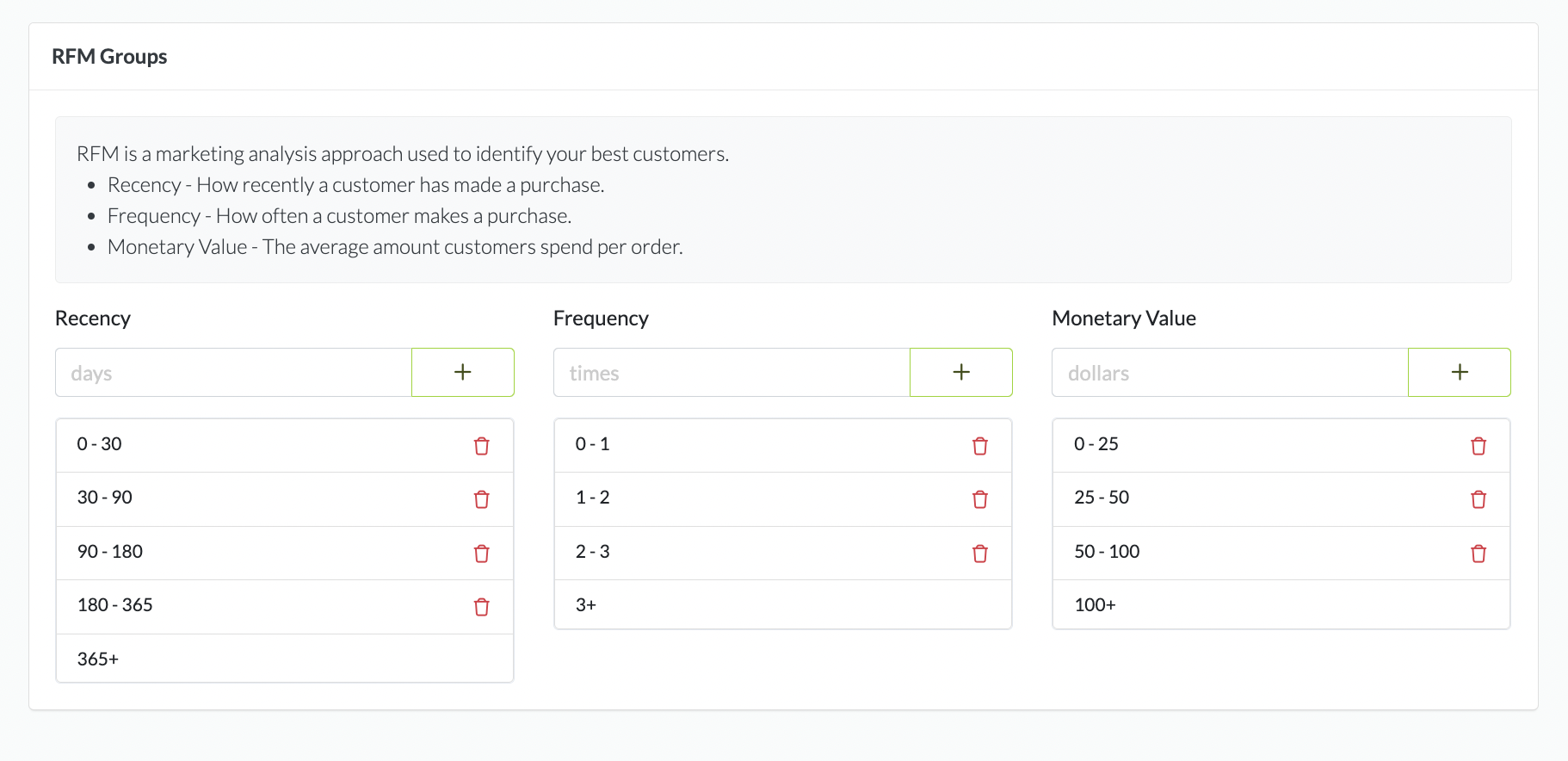
Edit RFM Values
Modify your RFM groups to provide a solud cross-section of your Customers.
{% hint style="success" %}
Use your AOV as a starting point for your Monetary Value Groups. Your Top Customers should fall above AOV and your underperforming Customers should fall below your AOV
{% endhint %}
Edit your RFM Groups
Daasity recommends 5 groups for Recency and 4 groups for both Frequency and Monetary to keep the total number of segments reasonable.
Modifying the RFM values to fit your business is very important in the Daasity platform as the RFM values directly impact the Customer and Retention Explores and several key reports.
In the LTV & RFM Dashboard, changing the values will change these tiles:
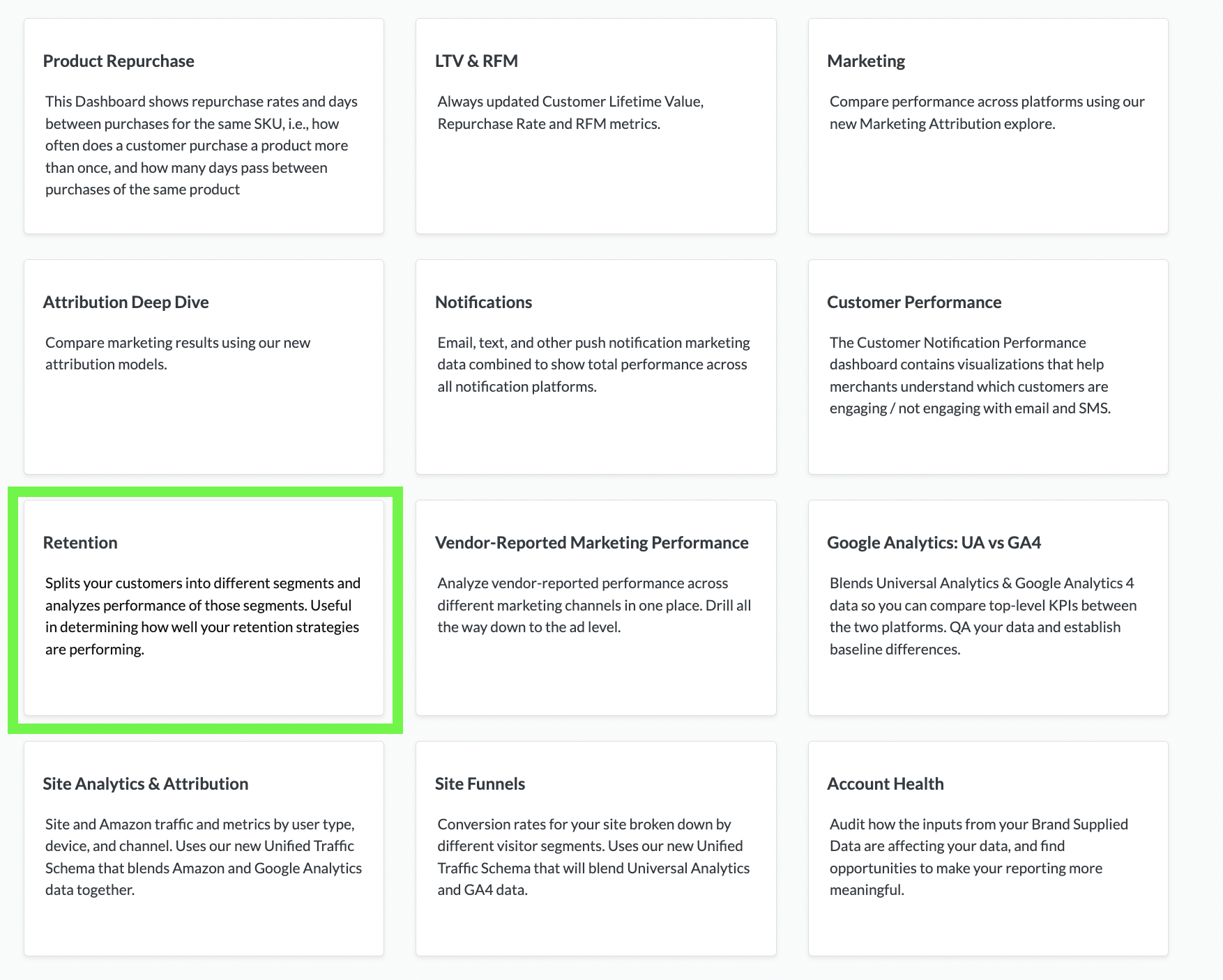
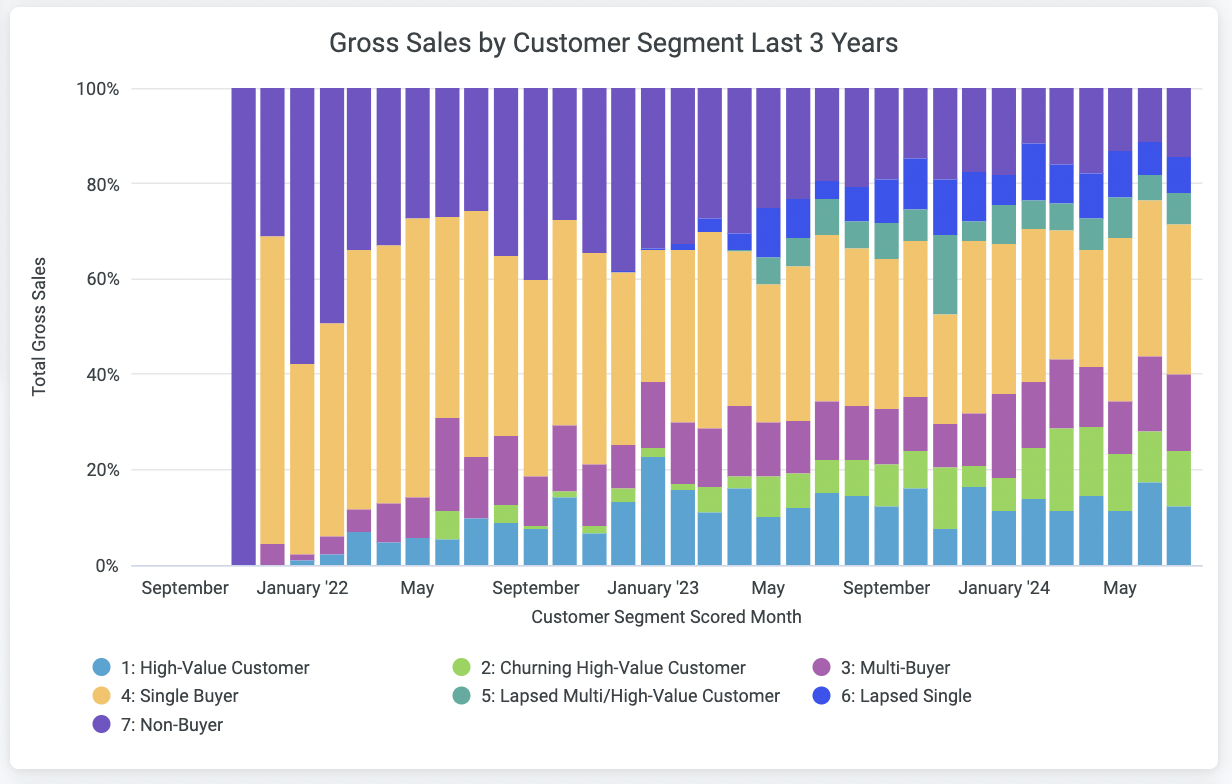
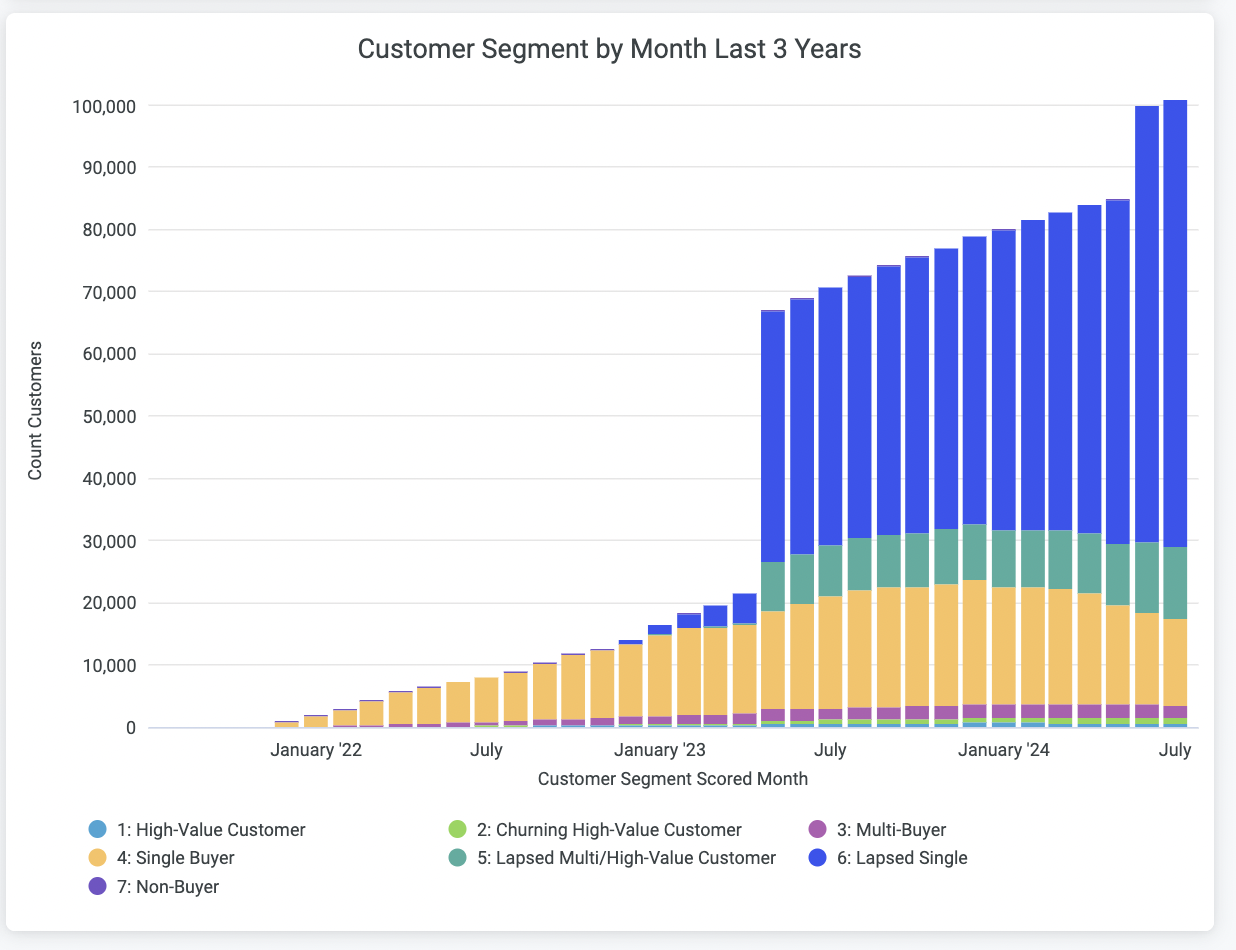
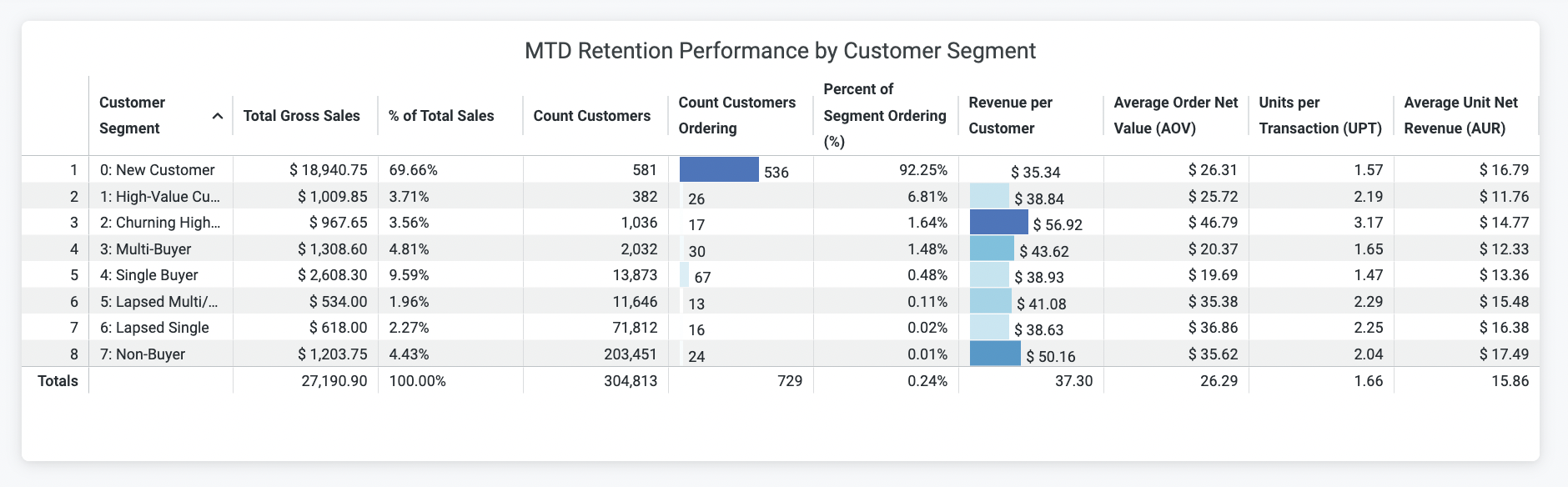
Daasity has implemented a segmentation system using Recency and Frequency that can be found in the [Retention Dashboard](/core-concepts/dashboards/report-library/retention-marketing/retention.md) and the Customer Explore. We excluded Monetary from our system because Monetary is usually the least predictive of future behavior as the variance of Monetary values is usually much smaller at the customer level. Each customer will be giving one of the following values:
* High-Value Customer: recency = 1 or 2 and frequency = 3 or 4
* Churning High-Value Customer: recency = 3 or 4 and frequency = 3 or 4
* Multi-Buyer: recency = 1 through 4 and frequency = 2
* Single Buyer: recency = 1 through 4 and frequency = 1
* Lapsed Multi-Buyer / High-Value Customer: recency = 5 and frequency = 2 through 4
* Lapsed Single: recency = 5 and frequency = 1
* Non-Buyer: there is no recency or frequency but the customer exists in your database
These Retention Segments feed your [Retention Dashboard](/core-concepts/dashboards/report-library/retention-marketing/retention.md) Reports to better analyze your Customer Performance.
RFM Scores Feed Your Retentinon Segment
Retention Dashboard Report
Customer Retentino Segments
Customer Retention Segment Performance
[**-> Learn more about understanding RFM and how it works**](/advanced/rfm/rfm-overview.md)