> For the complete documentation index, see [llms.txt](https://help.daasity.com/llms.txt). Markdown versions of documentation pages are available by appending `.md` to page URLs; this page is available as [Markdown](https://help.daasity.com/advanced/marketing-attribution/custom-attribution.md).
# Custom Attribution
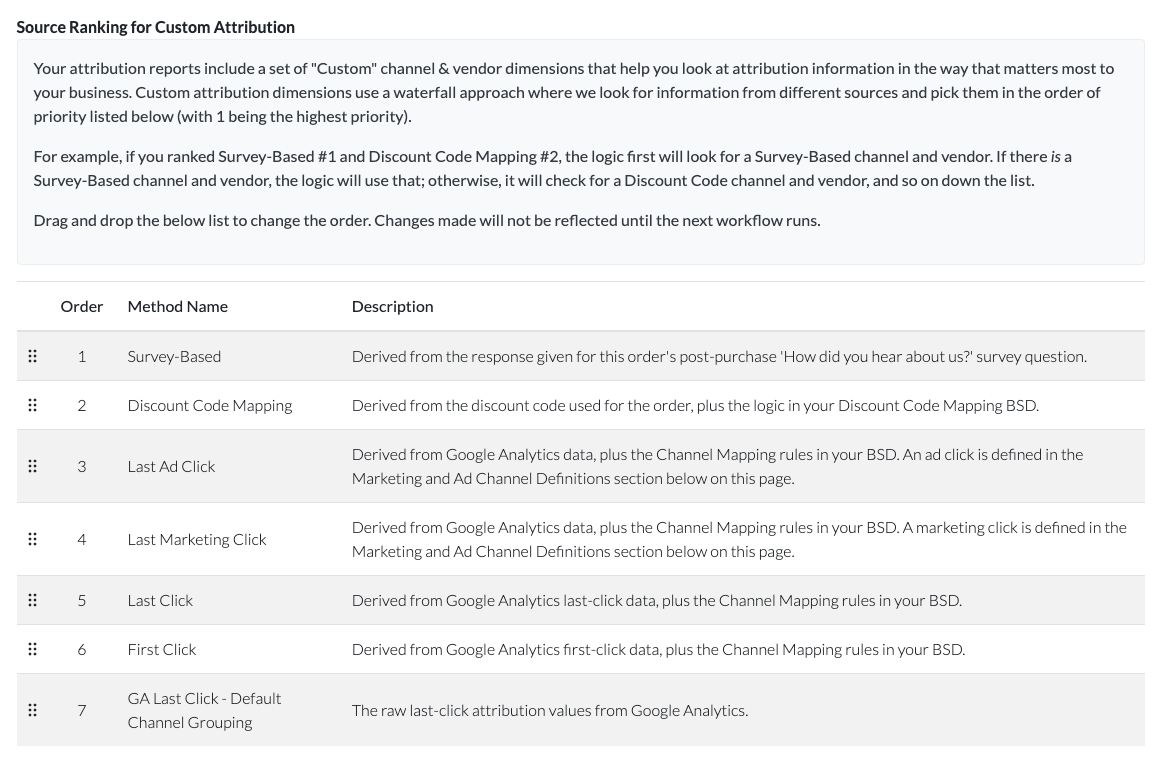
Custom Attribution lets you use a waterfall approach to sift through multiple attribution data sources for a single order and return a single channel and vendor value based on the priority you specify in the Daasity app.
This is useful because, as mentioned above, some of our attribution models won't be available for *all* of your orders. Survey-Based attribution won't be available for orders not associated with a post-purchase survey. Discount Code attribution won't be available for orders without a discount code. Last Ad Click and Last Marketing Click models won't be available for orders that had no ad channel or marketing channel interactions.
Custom Attribution lets you rank which attribution sources are most important to you, like in the example below from the Attribution Settings BSD:
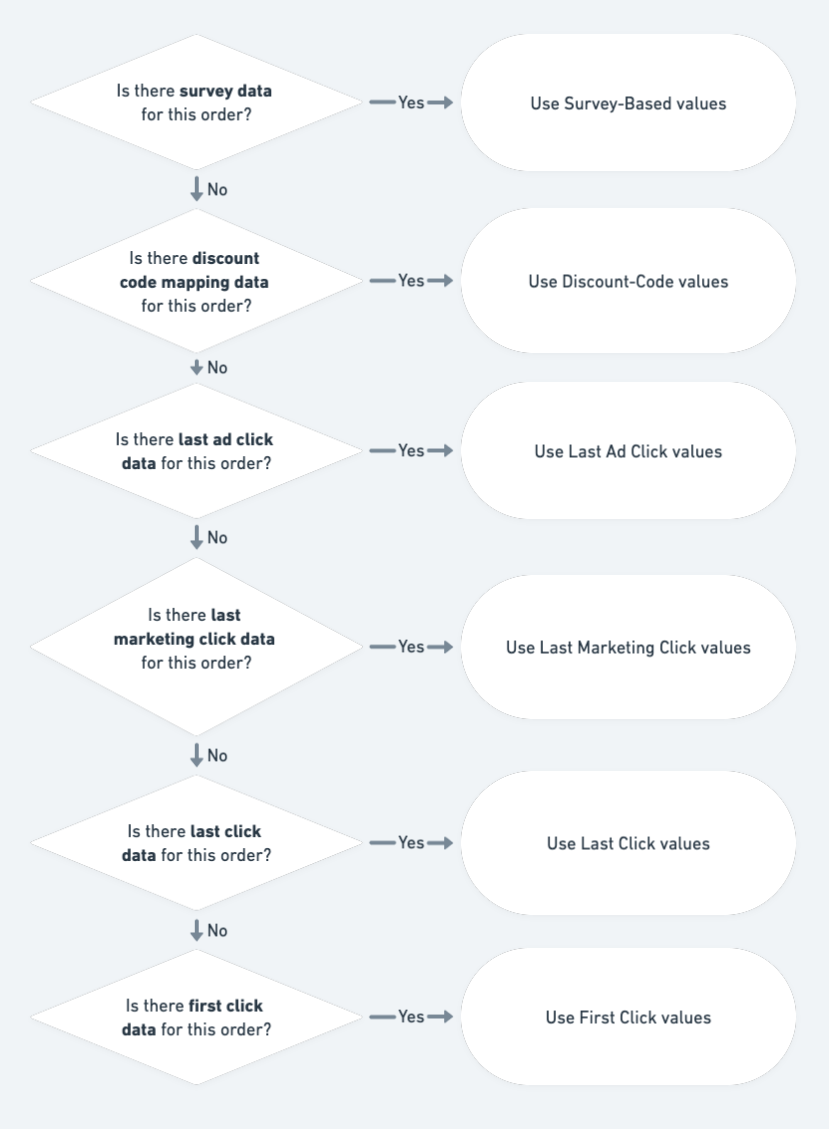
In this example setup, our transform code will run through the following logic to find the appropriate Custom Attribution channel and vendor values: